Enhance & Upscale Photos for Pro (300 DPI)
Printers ask for pixels, not for a feeling of sharpness. A 4×6 at 300 ppi is 1,200 by 1,800 pixels. If you already have that, another upscale only magnifies the softness. If you do not, 2× or 4× is a specific gap, and you can measure it.
- No signup for the first three
- Deleted after 24 hours
JPEG, PNG, WebP, or AVIF. No account for the first three repairs.
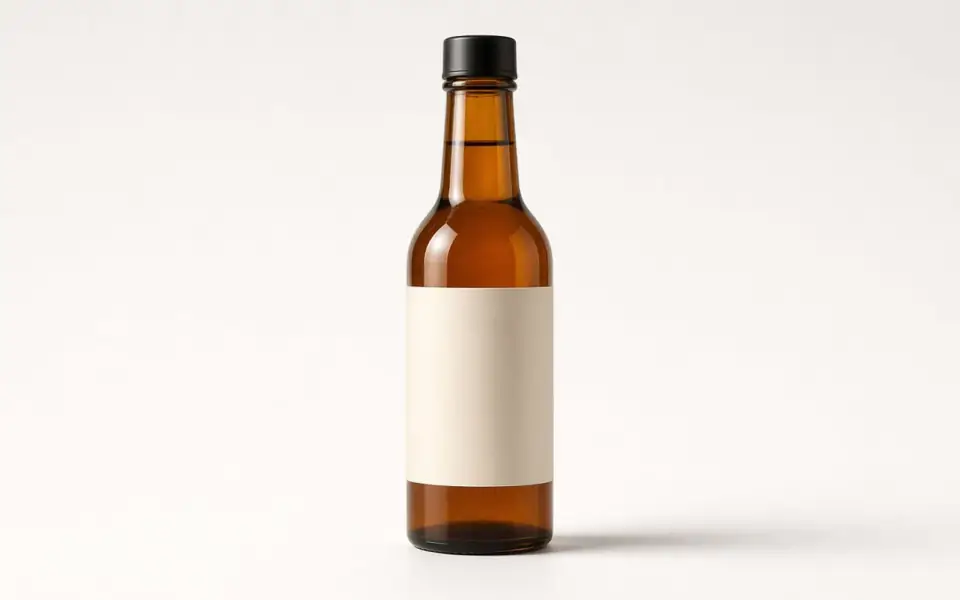
Left: a pale veil over the bottle. Right: the clear photo.
DPI, PPI, and the number on the file
The file does not contain a physical size until software assumes one. Changing the PPI tag without adding pixels only changes the default print size. The calculator on this page divides pixels by inches, or by millimetres converted at 25.4. That is the density the lab will actually print.
300 ppi is a close-view target for a print in the hand. A poster on a wall can survive 150. The limiting edge is the smaller of the width density and the height density. A file that is 300 across and 140 down will look soft on the short side.
Bigjpg’s free tier, as crawled on 2026-10-26, caps a side at 3,000 px and the upload at 5 MB. A 3,000 px long edge is a generous 4×6 and a tight 8×10 at 300 ppi. Our guest cap is 2,000 px on the upload and 3,200 px on the free download. Pro accepts a 4,096 px edge and downloads the full upscale. The comparison is numerical, not a slogan.
Which plan is a print plan
Free plan and guests prove the repair. The download cap means the free file is often enough for a screen and short for a large frame. Pro is $12 a month: 4×, face restore, batches of 12, 20 MB, a 4,096 px input edge, full download. Studio is $29: 8×, batches of 40, 40 MB, an 8,192 px input edge.
Run 2× first even if you intend to print. If the face drifts, you do not want that drift at 4×. Credits for a failed job return. Credits for a successful file you dislike do not. Subscriptions cancel anytime and the fee is not refunded.
There is a calculator below for a 4×6, and the same tool on the 8×10, A4, A3, and poster pages with those presets filled in. It does not upload the photo.
The lab prints pixels, not a ppi tag
Changing the pixels-per-inch number in a file’s metadata does not add paper-sharpness. It only changes the default size a layout app will suggest. A 1500-pixel-wide photo tagged 300 ppi wants to print five inches wide. The same photo tagged 72 ppi wants to print about twenty inches wide and will look soft there. The calculator on the size pages divides the pixels you have by the inches you asked for. It does not upload anything, and it will not flatter a short file.
Held in the hand, 300 ppi is the usual target for a 4×6 or an 8×10. A poster seen from across a room can hold at 150 ppi. Bigjpg’s free tier, as published, stops at 3,000×3,000 px and 5 MB. FixPhotoQuality’s guest upload stops at a 2,000 px long edge and 6 MB, the free account at 2,560 px and 8 MB, Pro at 4,096 px and 20 MB, Studio at 8,192 px and 40 MB. Output can be larger than the upload by the scale you chose, and the free download is still capped at 3,200 px. A 300 ppi 8×10, at 3,000 on the long edge, fits in that cap. A 300 ppi A4, at about 3,508, does not.
Proof one print before you batch a set. The slider is the proof. If skin goes waxy or a face drifts, the lab will print that. Pro batches twelve and Studio forty after the proof, not before. Subscriptions cancel anytime and are not refunded. The file you send the lab should be the one on your disk. Ours is deleted after 24 hours.
A last look before the lab
The lab does not know what the slider looked like. It prints the file you send. If you would be embarrassed by a 100 percent crop of the cheek, do not send the file, even if the inch count is right. One proof sheet is cheaper than a batch of twelve wrong ones. Pro is $12 and Studio is $29 because the full download and the batch live there, not because a larger number is a better photograph.
What to keep beside the slider
A ppi tag is a default size, not a sharpening filter. The calculator divides pixels by inches, millimetres, or centimetres and tells you the limiting edge. 300 is the hand-held target. 150 can hold a poster from across a room. Bigjpg’s free cap of 3,000 px is a different budget from our guest upload of 2,000 and our free download of 3,200, which clears their 3,000 px free cap. Pro's 4,096 px input and Studio's 8,192 are the paid uploads. Output grows by the scale factor. Colorize is a separate two-credit mode and does not change this pixel math. HEIC still does not decode. Proof one sheet. Then talk about a batch.
Three steps on this file
01
Type the pixel size and the paper
Use the calculator. Read the limiting edge, not the flattering one.
02
Upscale only the gap
If you need roughly twice the pixels, run 2×. If you need four times the edge, that is the Pro plan.
03
Proof on the slider, then download
A lab will print what you send. The preview has no watermark. Free downloads are capped.
Pixels for this paper
The drugstore print. 1,200×1,800 pixels is 300 ppi. The calculator uses the size you type. It does not upload a photo.
Settings that matter here
- Crop to the final aspect before you upscale so you do not invent corners you will trim.
- 300 ppi is not a law for a poster. It is a law for a print someone holds.
- Do not re-save the result as a JPEG quality 60. You will put the blocks back.
- Order the print before the 24-hour deletion if this site is your only copy. It should not be.
Where this shows up
A 4×6 from a phone crop
Many phone files are already past 1,800 px. Check before you pay for 4×.
A framed 8×10 from an old scan
2,400×3,000 is the 300 ppi target. A small scan needs 4× and a hard look at the face.
Limits and formats
JPEG, PNG, WebP, and AVIF decode on the server. HEIC from a phone needs to be exported to JPEG first. The preview is not watermarked. Guest and Free plan downloads are capped at 3,200 px on the long edge. Pro and Studio download the full file. Nothing on this site is an ad.
Guest
- Price
- $0
- Credits
- 3 / day, no account
- Batch
- 1
- Upload
- 6 MB
- Long edge
- 2,000
- Download
- 3,200 px
Free
- Price
- $0
- Credits
- 3 repairs / day
- Batch
- 1
- Upload
- 8 MB
- Long edge
- 2,560
- Download
- 3,200 px
Pro
- Price
- $12/mo
- Credits
- 120 credits / month
- Batch
- 12
- Upload
- 20 MB
- Long edge
- 4,096
- Download
- Full size
Studio
- Price
- $29/mo
- Credits
- 500 credits / month
- Batch
- 40
- Upload
- 40 MB
- Long edge
- 8,192
- Download
- Full size
| Plan | Price | Credits | Batch | Upload | Long edge | Download |
|---|---|---|---|---|---|---|
| Guest | $0 | 3 / day, no account | 1 | 6 MB | 2,000 | 3,200 px |
| Free | $0 | 3 repairs / day | 1 | 8 MB | 2,560 | 3,200 px |
| Pro | $12/mo | 120 credits / month | 12 | 20 MB | 4,096 | Full size |
| Studio | $29/mo | 500 credits / month | 40 | 40 MB | 8,192 | Full size |
Questions worth asking first
Is DPI the same as PPI?
On this page, yes: pixels along the paper, per inch. Printer hardware DPI is a different machine setting.
Do I always need 300?
For a print viewed up close, it is the usual lab target. A poster can be lower.
Can I try the upscale free?
2× is included in the three guest repairs. 4× is paid.
Will the print file be watermarked?
The preview is not. Free downloads are size-capped. Paid downloads are full size and unmarked.
What if 4× looks fake?
Do not print it. The credit for a successful job is spent.
How long can I wait to download?
24 hours, then the file is deleted.
Related tools
From the guides
Run it on the file you actually have
Three guest repairs a day, no card. If the slider invents a detail you cannot defend, do not download it. Paid plans cancel anytime and are not refunded. A failed job is not charged. The file is deleted after 24 hours.