Upscale a Photo for an 8×10 Print
An 8×10 is a desk frame, held close enough that a soft file looks soft. At 300 ppi it wants about 2,400 by 3,000 pixels. The free download of 3,200 px covers that long edge.
- No signup for the first three
- Deleted after 24 hours
JPEG, PNG, WebP, or AVIF. No account for the first three repairs.
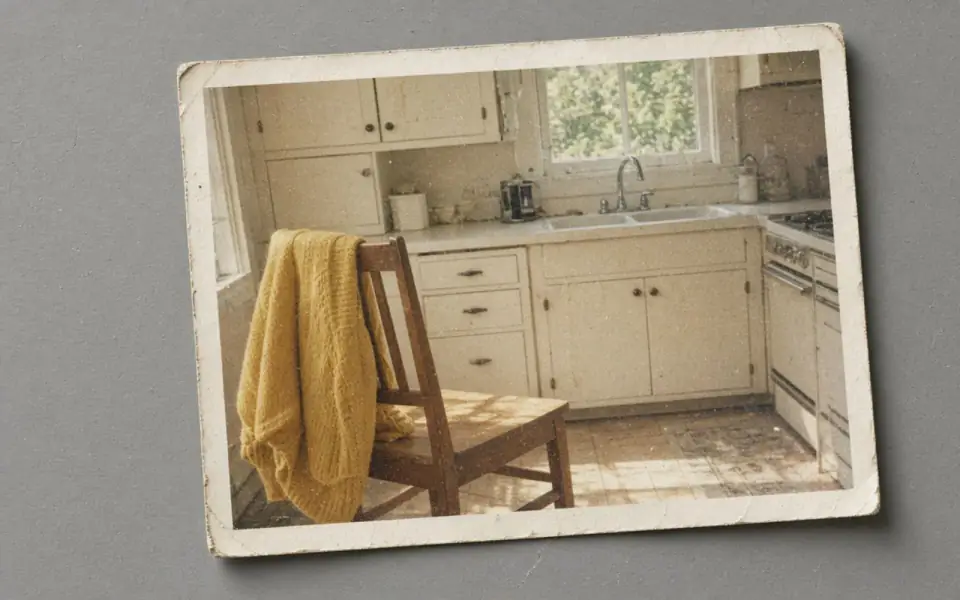
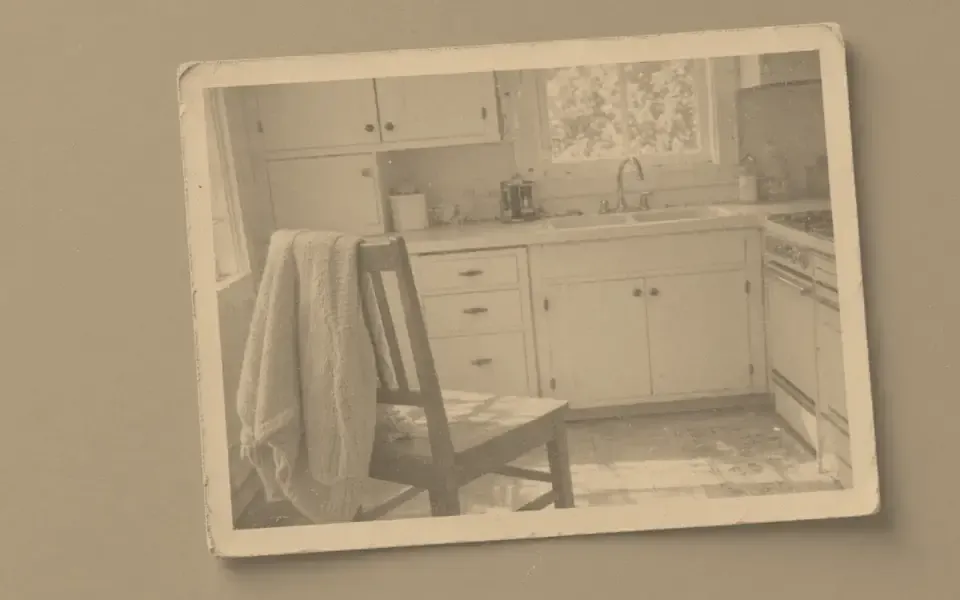
Left: the faded black-and-white photo. Right: the clearer scan.
8×10
2,400 by 3,000 is the whole story
Eight times 300 is 2,400. Ten times 300 is 3,000. A 12-megapixel phone photo, uncropped, is already larger than that. A crop of one face from that photo often is not. Measure the crop, not the camera badge. The calculator takes the pixel width and height you type and the 8 by 10 inches, and it reports the limiting edge. If that number is already past 300, spend the credit on denoise or unblur only if those defects are real.
If you are short, divide the gap. A 1,200-pixel-wide crop needs 2× to approach the eight-inch side and may still be short on the ten-inch side. 4× takes a 800-pixel edge to 3,200, which clears the frame and starts to invent. That mode is Pro, $12 a month, two credits, full-size download. Guest 2× can show you the invention at a smaller scale before you pay. The guest download itself cannot be the 8×10 master.
150 ppi on an 8×10 is 1,200 by 1,500. That can look acceptable in a frame across a sideboard and soft in the hand. Be honest about where the frame will sit. Do not call a 150 ppi file a 300 ppi file by changing the tag. The lab prints the pixels.
A frame is a likeness test
People look at an 8×10 of a face for longer than they look at a 4×6 on a fridge. Face restore, if you use it, has to survive a comparison with another picture of the same person. 4× without face restore is the quieter path when the face is small but intact. Waxy skin is especially obvious at this size. Stop the denoise early.
Pro batches twelve and Studio forty after one 8×10 has been proofed, not before. Free pages show ads. No watermark on the preview or the paid file. Cancel anytime. The month is not refunded. Failures are not charged. JPEG, PNG, WebP, and AVIF only. The master is deleted from our storage after 24 hours, so put it on the disk you will hand to the lab.
An 8×10 people stare at
2,400 by 3,000 is the 300 ppi frame, and an uncropped phone photo often clears it while a face crop does not. Measure the crop. 150 ppi, 1,200 by 1,500, can sit on a sideboard and look soft in the hand. The free download cannot be the 300 ppi master. Pro or Studio can. 4× of a small crop clears the frame and can invent a face. Look at 2× first, on the free tool, the same day.
This is the size where waxy skin becomes the whole portrait. Stop the denoise while hair still breaks the edge. Skip face restore unless the face has collapsed and another photograph of the person is on the desk. A good optical scan of a smaller print may already be enough pixels. Rescan before you buy an enlargement of a bad scan.
Batch twelve only after one 8×10 is a file you would frame. The credits do not roll over. The month is not refunded if the second frame disappoints you. The framed object lives on your disk. The job row is gone in a day, original and result, whether the frame has been picked up or not.
What to keep beside the slider
Desk frames are where relatives notice wax and halos. 2,400 by 3,000 is 300 ppi. An uncropped phone photo often has it. A crop of one person often does not. 4× can close the gap and can also invent the person. The guest 2× is the cheap witness. The free download cannot be the master. Pro or Studio can. A good 600 ppi scan of a smaller print may already be larger than this frame. Rescan a bad one before you enlarge it. Stop denoise while hair still has a broken edge.
Proof the frame you would actually give. Batch the rest only after that. Twelve on Pro, forty on Studio. Credits reset with the period and do not accumulate. A cancelled subscription keeps the days you paid and does not return the money. The TIFF master, if you made one, stays with you. We never decoded it. The JPEG you uploaded is gone in a day, along with the result, whether the frame shop has called you back or not.
The decision you can defend
2,400 by 3,000 is the strict 8×10. Crops fail that count more often than uncropped phone photos. The free download cannot be the master. Look at 2× before 4×, and stop the denoise while hair still has an edge. One framed proof, then a batch. The file you frame is the one you downloaded.
Three steps on this file
01
Enter the crop’s pixel size
The target is about 2,400×3,000. The calculator shows how far off you are.
02
Test at 2×
If the face drifts, an 8×10 will only make the drift easier to see.
03
Download the 3,000 px edge
A 300 ppi 8×10 fits inside the 3,200 px free cap. A larger master is Pro or Studio.
Pixels for this paper
A desk frame. 2,400×3,000 pixels is 300 ppi. The calculator uses the size you type. It does not upload a photo.
Settings that matter here
- Uncropped phone photos often need no upscale for an 8×10.
- Crops do. Measure the crop.
- 4×6 is the smaller sibling. A poster is the larger one, and it can live at 150 ppi.
- Proof on paper if the frame is a gift.
Where this shows up
A desk portrait
The file is a crop. 2× or 4× depending on the count, then a hard look at the eyes.
A scan of a small print
Optical 600 ppi on a 4×6 already exceeds an 8×10. Do not upscale a good scan out of habit.
Limits and formats
JPEG, PNG, WebP, and AVIF decode on the server. HEIC from a phone needs to be exported to JPEG first. The preview is not watermarked. Guest and Free plan downloads are capped at 3,200 px on the long edge. Pro and Studio download the full file. Nothing on this site is an ad.
Guest
- Price
- $0
- Credits
- 3 / day, no account
- Batch
- 1
- Upload
- 6 MB
- Long edge
- 2,000
- Download
- 3,200 px
Free
- Price
- $0
- Credits
- 3 repairs / day
- Batch
- 1
- Upload
- 8 MB
- Long edge
- 2,560
- Download
- 3,200 px
Pro
- Price
- $12/mo
- Credits
- 120 credits / month
- Batch
- 12
- Upload
- 20 MB
- Long edge
- 4,096
- Download
- Full size
Studio
- Price
- $29/mo
- Credits
- 500 credits / month
- Batch
- 40
- Upload
- 40 MB
- Long edge
- 8,192
- Download
- Full size
| Plan | Price | Credits | Batch | Upload | Long edge | Download |
|---|---|---|---|---|---|---|
| Guest | $0 | 3 / day, no account | 1 | 6 MB | 2,000 | 3,200 px |
| Free | $0 | 3 repairs / day | 1 | 8 MB | 2,560 | 3,200 px |
| Pro | $12/mo | 120 credits / month | 12 | 20 MB | 4,096 | Full size |
| Studio | $29/mo | 500 credits / month | 40 | 40 MB | 8,192 | Full size |
Questions worth asking first
What size is an 8×10 at 300 ppi?
About 2,400×3,000 pixels.
Can I download that on the free plan?
Yes. 3,000 px sits inside the 3,200 px free long edge. Anything larger is Pro or Studio.
Is the preview watermarked?
No. Guest and Free plan downloads are capped at 3,200 px on the long edge. Pro and Studio download the full file.
What if the job fails?
The credit is returned. A failed job is not charged. A finished file you dislike does not return the credit or the subscription fee.
How long do you keep the upload?
Uploads and results are deleted 24 hours after the job is created.
Can I cancel?
Yes. Subscriptions cancel anytime and are not refunded. The plan lasts until the period you already paid, then the account returns to Free plan.
From the guides
Run it on the file you actually have
Three guest repairs a day, no card. If the slider invents a detail you cannot defend, do not download it. Paid plans cancel anytime and are not refunded. A failed job is not charged. The file is deleted after 24 hours.