Colorize Black & White Photos, Then Judge the Guess
Colorize is a real mode. It paints a plausible palette onto a black-and-white photograph. The dyes are a guess, not a recovered record. It costs two credits and runs on the free tool.
- No signup for the first three
- Deleted after 24 hours
JPEG, PNG, WebP, or AVIF. No account for the first three repairs.
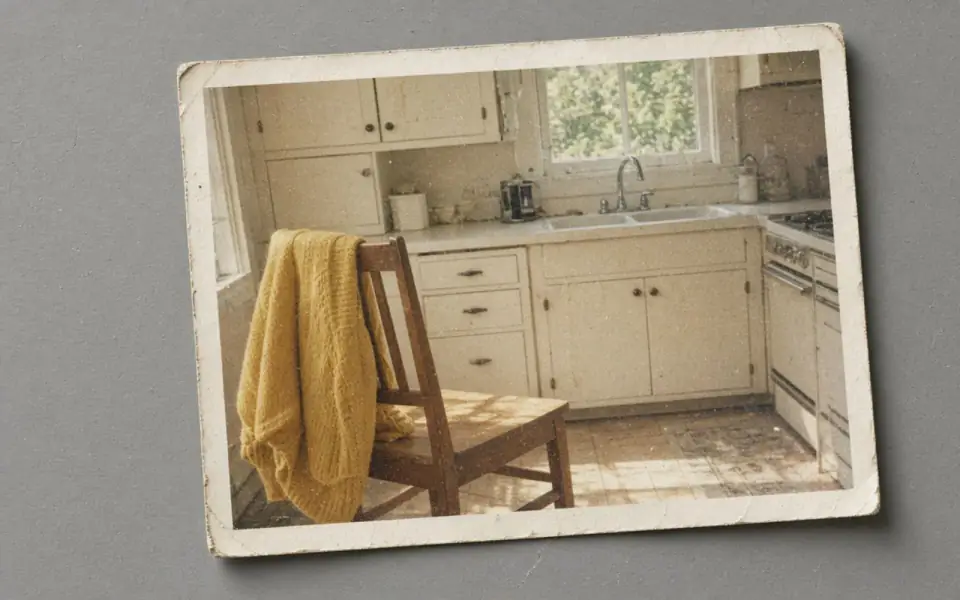
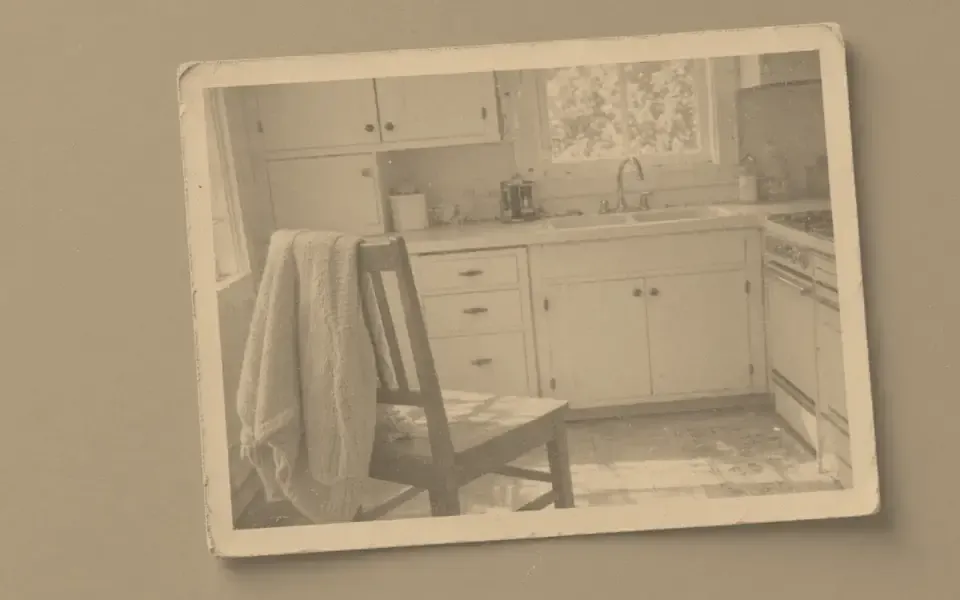
Left: the faded black-and-white photo. Right: the clearer scan.
Colorize
What colorization actually adds
A black-and-white negative recorded luminance. The dress might have been blue or gray. No model knows. Colorize, including the page imgupscaler.ai publishes, sells a plausible palette. That can be lovely and it can be wrong in a way a family will argue about. FixPhotoQuality runs the same kind of guess and says so in the HTML: the mode is named Colorize, it costs two credits, and the slider keeps the scan beside the paint.
Dust, softness, and a tiny scan make the guess worse, because the model will color the dust. Denoise first, look at the monochrome file, and colorize the file you accept. A yellowed color print is not a black-and-white negative. Colorize on a yellow cast paints the paper. Correct the cast, or decide the cast is the object, before you spend the two credits.
On this server the production model is whatever REPLICATE_MODEL_COLORIZE names. The default is piddnad/ddcolor. With ENHANCE_PROVIDER=mock, or with no token, the tool draws a local split-tone placeholder and labels it as a local preview, not the neural model. Do not print the placeholder as if it were the hosted colorizer.
The repair that does belong on a mono scan
Denoise lifts scanner speckle. Unblur helps a soft lens or a photo of a photo. 2× and 4× matter when the print is small and you want a frame. Face restore is for a collapsed likeness, and it should be judged in grayscale before color makes a wrong face more convincing. Colorize comes after those decisions, not instead of them.
Guests have three credits a day. Colorize spends two of them, so one colorize fits and a second does not until the next UTC day. Free pages show ads and no watermark on the preview. The free download is capped at 3,200 px on the long edge. Pro and Studio keep the full file. Commercial use is allowed on every plan when you have the rights to the scan.
Keep the monochrome download beside the color one. The color version is a derivative. The scan is the record. Both objects are deleted here after 24 hours. A failed colorize returns the two credits. A finished palette you later dislike does not, and the subscription fee is not refunded.
Color is a claim about a world you may not have seen
Colorize paints a plausible palette and does not recover a dress that was blue. Imgupscaler.ai publishes a colorize page. Their prices were not in the server HTML on 26 October 2026, so this page will not pretend to know what their feature costs. Ours costs two credits. The scan still has to be clean enough that the color has a surface to sit on.
Dust, a stain, and a scratch become colored objects if you paint over them. Denoise and a careful scan remove the dust. They do not invent the stain’s history. A yellowed print is not a black-and-white negative. If you colorize the yellow, you colorize the paper. Correct the cast, or decide the cast is the object, before anyone reaches for a hue. We can denoise and upscale the tonal file. Colorize supplies a hue, and you can reject it.
If you only needed the picture sharper, you are already in the right product. 2×, denoise, and unblur are the guest tools. Face restore, if you use it, still has to survive an identity check, in grayscale, before color makes a wrong face more convincing. The file is deleted after 24 hours. Free pages show ads. A failed job returns its credit. A subscription can be cancelled and is not refunded. Those policies still apply after the color is painted.
A last look before anyone paints
Denoise before colorize. Color sticks to dust and to a stain and makes both look intentional. ImgUpscaler.ai has a colorize page and, on 26 October 2026, did not show a price in the server HTML. We will not guess that price. Our colorize mode costs two credits, and the dyes stay a guess.
What to keep beside the slider
People search this phrase because a relative asked for color. Clean the scan. Decide whether the yellow is paper or age. Enlarge only if the print size requires it. Then run colorize, two credits, and judge the paint against a memory or a record. ImgUpscaler.ai also publishes a colorize page. Their price was not captured. Ours is two credits on every plan that can spend them.
Three steps on this file
01
Clean the scan first
Denoise dust. Leave a tear alone. Do not colorize a stain you meant to remove.
02
Run Colorize and compare the dyes
Two credits. The slider keeps the scan. Reject a dress color you cannot defend.
03
Download both versions
Keep the monochrome file and the color file. We delete both after 24 hours.
Settings that matter here
- Sepia is already a tint. Colorize is for a file that is actually black and white.
- Hand-tinted prints already have color. Do not denoise the tint off.
- A strong yellow cast on a color print is fading, not a black-and-white problem. Read the old-photo page.
- We do not store the scan as a training set. It is deleted after 24 hours.
Where this shows up
A family negative you might color later
Make it sharp and quiet first. Color is a second decision, made by someone who can be wrong in public.
A newspaper halftone
The dots are a screen, not grain. Upscaling a halftone invents a photograph that was never continuous tone. Often you should leave it.
Limits and formats
JPEG, PNG, WebP, and AVIF decode on the server. HEIC from a phone needs to be exported to JPEG first. The preview is not watermarked. Guest and Free plan downloads are capped at 3,200 px on the long edge. Pro and Studio download the full file. Nothing on this site is an ad.
Guest
- Price
- $0
- Credits
- 3 / day, no account
- Batch
- 1
- Upload
- 6 MB
- Long edge
- 2,000
- Download
- 3,200 px
Free
- Price
- $0
- Credits
- 3 repairs / day
- Batch
- 1
- Upload
- 8 MB
- Long edge
- 2,560
- Download
- 3,200 px
Pro
- Price
- $12/mo
- Credits
- 120 credits / month
- Batch
- 12
- Upload
- 20 MB
- Long edge
- 4,096
- Download
- Full size
Studio
- Price
- $29/mo
- Credits
- 500 credits / month
- Batch
- 40
- Upload
- 40 MB
- Long edge
- 8,192
- Download
- Full size
| Plan | Price | Credits | Batch | Upload | Long edge | Download |
|---|---|---|---|---|---|---|
| Guest | $0 | 3 / day, no account | 1 | 6 MB | 2,000 | 3,200 px |
| Free | $0 | 3 repairs / day | 1 | 8 MB | 2,560 | 3,200 px |
| Pro | $12/mo | 120 credits / month | 12 | 20 MB | 4,096 | Full size |
| Studio | $29/mo | 500 credits / month | 40 | 40 MB | 8,192 | Full size |
Questions worth asking first
Can FixPhotoQuality colorize a photo?
Yes. Colorize costs two credits and is on the free tool. The dyes are a guess.
Is the local preview the neural model?
No. ENHANCE_PROVIDER=mock draws a split-tone placeholder. A Replicate token runs REPLICATE_MODEL_COLORIZE, defaulting to piddnad/ddcolor.
Which competitor also colorizes?
ImgUpscaler.ai publishes a colorize tool page. Their prices were not visible in the server HTML when we crawled them on 2026-10-26.
Does one guest day cover it?
A guest has three credits. One colorize costs two. A second colorize waits until the next UTC day.
Will you keep the portrait?
No. Download it. We delete uploads and results after 24 hours.
Does face restore add skin tone?
Face restore rebuilds features. Colorize is the mode that assigns hues, and it can still be wrong.
Related tools
From the guides
Run it on the file you actually have
Three guest repairs a day, no card. If the slider invents a detail you cannot defend, do not download it. Paid plans cancel anytime and are not refunded. A failed job is not charged. The file is deleted after 24 hours.