Upscale a Photo for a 4×6 Print
A 4×6 is the drugstore print. At 300 pixels per inch it wants about 1,200 by 1,800 pixels. Many phone photos already clear that, and a free download capped at 3,200 px on the long edge often does too.
- No signup for the first three
- Deleted after 24 hours
JPEG, PNG, WebP, or AVIF. No account for the first three repairs.
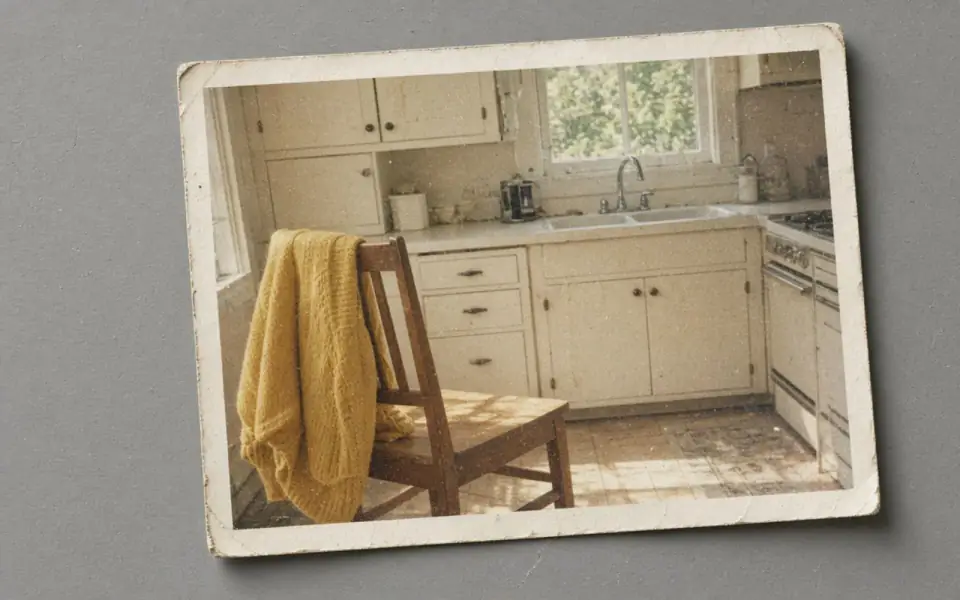
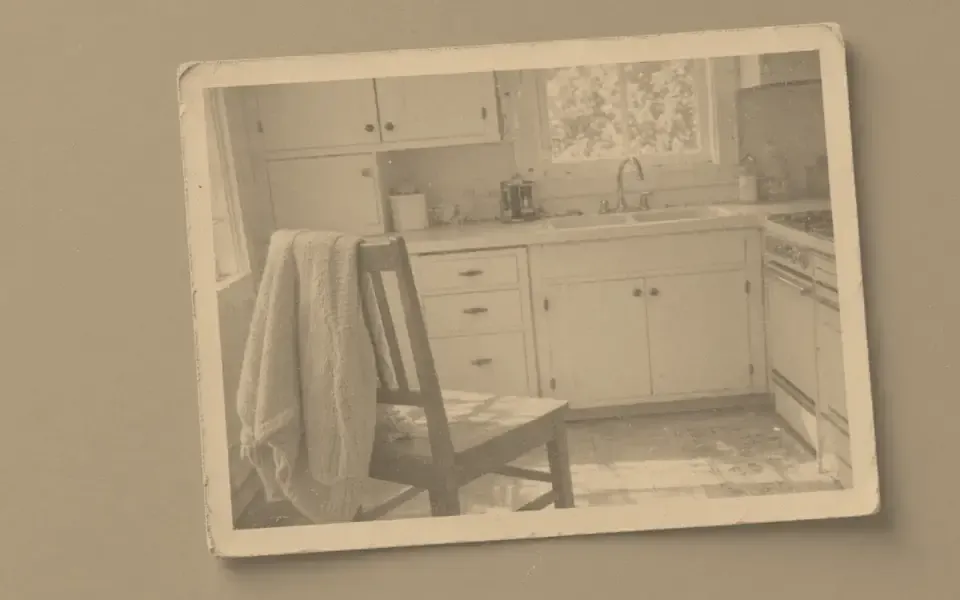
Left: the faded black-and-white photo. Right: the clearer scan.
4×6
Count the 4×6 before you enlarge
Four inches times 300 is 1,200. Six inches times 300 is 1,800. If your file is already larger than that on both edges, an upscale adds nothing the lab can use, and it can add texture that was not in the room. Tagging the file as 300 ppi does not create those pixels. The calculator below divides whatever you type. It does not upload the photograph.
If you are short, 2× is the guest test. A 800-pixel-wide snapshot becomes 1,600, which is enough for the four-inch side and a little soft on the six-inch side if that edge was the short one. Look at the orientation. A portrait 4×6 and a landscape 4×6 swap which edge is hungry. 4× is Pro, two credits, and it is more than a 4×6 usually needs. 8× is almost never the right tool for this paper.
The free download cap at 3,200 px covers a strict 300 ppi 4×6, which wants 1,800 on the long edge. 3,200 divided by six inches is about 533 ppi, more than the paper needs. The preview is still full quality and unmarked, so you can reject a bad repair before you pay.
The print will show what the slider shows
A 4×6 is held in the hand. Waxy skin and halos read immediately. Denoise only if the file is noisy, and stop before the pores vanish. Unblur only if the focus missed. Face restore is a separate, paid guess at identity, and a 4×6 of a stranger’s rebuilt eyes is a strange gift. If the original is a scan, dust the glass and read the scan page before you spend the credit.
Free pages show ads. Pro and Studio are ad-free. Failed jobs are not charged. Subscriptions cancel anytime and are not refunded. The photo is deleted after 24 hours, so the file you send the lab is the one you downloaded. JPEG, PNG, WebP, and AVIF are accepted. HEIC from the phone needs an export first.
A 4×6 you can hold
1,200 by 1,800 is the 300 ppi target, and the calculator opens on those pixels so the first readout is 300 rather than a mismatched pair of axes. If your file is already larger, do not upscale it to feel productive. If it is a crop under 1,200, 2× is the guest test. The free download’s 3,200 px long edge covers a slightly soft 4×6, and it covers a strict 1,800 px 4×6. 3,200 px on a six-inch side is about 533 ppi. Say which standard you are meeting.
Orientation matters. A landscape file in a portrait frame wastes the long edge and then looks short. Match the calculator’s width and height to the paper, not to the habit of typing the bigger number first. One test print from a drugstore is the proof. Face restore at this size is optional and dangerous if you cannot check the person. HEIC still has to be exported. The file you mail to the lab is the one you downloaded, because ours is deleted after 24 hours.
Ads stay off the calculator and there is no watermark on the preview you used to decide. Subscriptions, if you needed Pro for the strict 300 ppi file, cancel anytime and are not refunded. A failed job never costs the credit. A 4×6 that looks like the room is a small success, and it does not require 8×.
What to keep beside the slider
The drugstore print is the size people hold next to a face. 1,200 by 1,800 at 300 ppi is the strict file. A 3,200 px free download covers the strict 1,800 px 4×6. 3,200 px on a six-inch side is about 533 ppi, which is more than the paper needs. Orientation decides which edge is hungry. A landscape crop in a portrait order will look short no matter which plan you bought. Test 2× if you are under the count. Skip 8×. Skip face restore unless the face collapsed. Export HEIC first. Mail the lab the file on your disk. The calculator does not upload anything, and the tool deletes what it does upload after 24 hours.
One proof from a lab tells you more than another credit. If the cheek looks waxy in the hand, the inch count was never the problem. Denoise less, or keep the original. Subscriptions will not refund that taste. They will let you cancel. The next size up, an 8×10, is a different count and a longer look from the recipient. Do not assume a file that works as a 4×6 survives the larger frame without measuring it.
Three steps on this file
01
Type the pixel size into the calculator
1,200×1,800 is the 300 ppi target. If you are already there, do not upscale.
02
Repair the defect, not the paper
2× if you are short. Denoise or unblur if those are the actual problems.
03
Download a file at least 1,800 px on the long edge
1,800 px fits inside the 3,200 px free download. A file past 3,200 px is Pro or Studio.
Pixels for this paper
The drugstore print. 1,200×1,800 pixels is 300 ppi. The calculator uses the size you type. It does not upload a photo.
Settings that matter here
- 267 ppi on a 4×6 is often acceptable. 150 is soft in the hand.
- Match orientation. A landscape file in a portrait frame wastes the long edge.
- One test print before a batch of twelve.
- The 8×10 page is the next frame size up.
Where this shows up
A phone snapshot for a gift
Check the pixel count. You may already have a 4×6 and only need a denoise.
A small crop from a group
The crop may be under 1,200. 2× is the test, 4× only if 2× stays the same person.
Limits and formats
JPEG, PNG, WebP, and AVIF decode on the server. HEIC from a phone needs to be exported to JPEG first. The preview is not watermarked. Guest and Free plan downloads are capped at 3,200 px on the long edge. Pro and Studio download the full file. Nothing on this site is an ad.
Guest
- Price
- $0
- Credits
- 3 / day, no account
- Batch
- 1
- Upload
- 6 MB
- Long edge
- 2,000
- Download
- 3,200 px
Free
- Price
- $0
- Credits
- 3 repairs / day
- Batch
- 1
- Upload
- 8 MB
- Long edge
- 2,560
- Download
- 3,200 px
Pro
- Price
- $12/mo
- Credits
- 120 credits / month
- Batch
- 12
- Upload
- 20 MB
- Long edge
- 4,096
- Download
- Full size
Studio
- Price
- $29/mo
- Credits
- 500 credits / month
- Batch
- 40
- Upload
- 40 MB
- Long edge
- 8,192
- Download
- Full size
| Plan | Price | Credits | Batch | Upload | Long edge | Download |
|---|---|---|---|---|---|---|
| Guest | $0 | 3 / day, no account | 1 | 6 MB | 2,000 | 3,200 px |
| Free | $0 | 3 repairs / day | 1 | 8 MB | 2,560 | 3,200 px |
| Pro | $12/mo | 120 credits / month | 12 | 20 MB | 4,096 | Full size |
| Studio | $29/mo | 500 credits / month | 40 | 40 MB | 8,192 | Full size |
Questions worth asking first
What pixel size is a 4×6 at 300 ppi?
About 1,200 by 1,800.
Will a free download cover it?
The cap is 3,200 px on the long edge. A strict 300 ppi 4×6 wants 1,800 on the long edge, which is a paid download.
Is the preview watermarked?
No. Guest and Free plan downloads are capped at 3,200 px on the long edge. Pro and Studio download the full file.
Are there ads on this page?
Free pages show ads. Pro and Studio are ad-free. The upload card does not contain an ad.
What if the job fails?
The credit is returned. A failed job is not charged. A finished file you dislike does not return the credit or the subscription fee.
How long do you keep the upload?
Uploads and results are deleted 24 hours after the job is created.
Related tools
From the guides
Run it on the file you actually have
Three guest repairs a day, no card. If the slider invents a detail you cannot defend, do not download it. Paid plans cancel anytime and are not refunded. A failed job is not charged. The file is deleted after 24 hours.