Resolution · June 12, 2026
How to change resolution of image files when the order is 300 dpi from 800 pixels
A designer asked how to change resolution of image files by turning an 800px photo into 300 dpi without new pixels.
Changing the number in the file dialog does not change the photograph. Fix the low-resolution photo if the long edge is actually short.
The designer messaged at 7 in the morning with the lowercase line how to change resolution of image, and then the actual sentence: the manager says this kitchen has to be 300 dpi and the file is 800 pixels and I am not allowed to invent pixels. The file is hero-kitchen-800.jpg, 800 by 533. It is a sink, a brass faucet, a window, a subway-tile backsplash, a bottle of dish soap. It has to sit 8 inches wide on a sell sheet. I fix pictures for a living, and this request is the one I get from people who have already been yelled at by a checklist.
TL;DR. hero-kitchen-800.jpg is 800 by 533. At 8 inches wide that is 100 pixels per inch, no matter what the resolution field claims. Tagging it 300 without resampling only changes the default place size to about 2.67 inches. Resampling to 2400 made mush, and a sharpen doubled the grout. A 4x model wrote METER on a bottle that says MEYER and added window bars. The pixels we needed were already in Kitchen-finals.zip as hero-kitchen-full.jpg, 4000 by 2667. Placed at 8 inches that is 500 pixels per inch. I did not upscale it. I placed it.
The 800 file is an email
The photographer delivered a zip two weeks ago. The manager, on a phone, pulled one frame out of a preview gallery and emailed it to the designer as the hero. Mail clients love 800 pixels. The JPEG that landed is 800 by 533, sRGB, no camera EXIF, quality middling. The grout lines are one pixel when they survive at all. The brass faucet is a gold hook. The soap bottle's label is a pale rectangle with a dark scrawl about four pixels tall. You cannot read it. I tried, because I like to know when I am about to lie.
The designer had done the responsible thing and asked before resampling. She had been told, by a previous freelancer, that you never add pixels you did not shoot. She had also been told, by the manager, that the printer will reject anything under 300. Both instructions feel like rules. They describe different objects. One is about samples. One is about a field in a dialog and a number on a ticket. How to change resolution of image, as a phrase, hides that split. I booked an hour and shared the screen.
On the call I did not open an upscaler. I opened the info panel and the image size dialog and I made her read the pixel dimensions out loud. 800 by 533. Then the placed width she needed. 8 inches. Then the division. 800 divided by 8 is 100. The sheet would carry 100 pixels of this file in each inch. The ticket wants 300. The deficit is not a setting. It is 1600 missing pixels across the width if you insist on both the 8 inches and the 300. I wrote the deficit in the chat so it would stay after the call ended.
What the field does when you do not resample
Photoshop's image size dialog, and the cousins of it in other editors, has a resolution box and a checkbox about resampling. We turned resampling off. We typed 300 into the resolution box. The pixel dimensions stayed 800 by 533. The document width, the number next to it, fell to 2.667 inches. Height fell to about 1.777. I saved that experiment as hero-kitchen-800-tag300.jpg so the manager could have a file that "says 300" if he only looks at the field.
Placed in the sell sheet at the template's 8 inch frame, InDesign ignored the cozy 2.667 inch default and stretched the frame. The panel then showed effective resolution around 100. Actual pixels per inch of the page, not the tag. I have a screenshot of that panel in the job folder, named indesign-effective-100.png, and I cropped it so the manager's other jobs are not in it. The effective number is the one the RIP will behave like. The tag is a suggestion about the size you wanted when you were not forcing a frame.
This is the whole trick, and it is a small trick. Document PPI is metadata. It tells a layout program how many inches to propose for the pixel grid you already have. It does not sharpen the faucet. It does not multiply grout. If the frame on the page is fixed by a designer grid, the tag loses even that modest power, because the frame wins and the effective number is pixels divided by the frame.
I have watched a cousin do this to a yearbook face, tag a tiny crop as 300 and celebrate the field. That story is improve photo resolution. The kitchen is the same arithmetic in a different room, with a bottle label instead of a mole. I am not going to retell the portrait. I am going to stay with the faucet until the zip file shows up.
The words dpi and ppi on one ticket
The manager said dpi. The dialog says pixels per inch. The printer's spreadsheet says dpi because it was written by someone who means the imagesetter. I am not going to pretend those units have never been muddled on purpose. For this sell sheet I translated the ticket into one demand. When the photo is 8 inches wide on the page, the file should offer at least 2400 pixels across, because 8 times 300 is 2400. Dots of cyan and magenta are the printer's problem after that. If you want the longer unpacking of how those words got glued together, I point people at how to know my dpi and what is resolution in pictures. On the call I used the translation and moved on. A glossary did not place the kitchen.
Resampling, which is new pixels with a polite name
We turned the checkbox on, set the width to 2400 pixels, left the resolution at 300, and watched the height become 1599. Bicubic, the default. I saved hero-kitchen-resampled-2400.jpg. The file now satisfies the ticket's arithmetic. An automated preflight would go green. The grout does not.
At 100 percent the backsplash is a gray-white fog with soft horizontal murmurs where the grout used to be. The running bond, the way each row offsets by half a tile, is gone. You can talk yourself into horizontal lines. You cannot point to a single joint and trust it. The faucet is a smooth brass curve with a highlight that used to be three pixels and is now a long pale smear. The plant in the window is a green cloud. This is a resize doing what a resize may do. It is not a scandal and it is not a kitchen you can sell a renovation with.
The designer, who has good instincts and a frightened manager, then sharpened. Unsharp mask, amount 120, radius 1.5. The murmurs became double lines. Each soft grout ghost grew a light edge and a dark edge, so the backsplash looked busier and less true. The faucet highlight grew a white wire along one side. I undid the mask and saved the doubled version only as hero-kitchen-resampled-sharp.jpg in _rejected, so we would remember why the next idea was not "sharpen harder."
Busy is the trap. Preflight checks the count. The eye checks the joints. Those checks disagree, and the person who signs the sell sheet has to say which check is the job. I said the joints. She agreed and looked tired.
The model wrote a word the bottle does not say
She asked if the upscaler was "inventing" or "restoring." I ran it so the answer would be a crop and not a definition. From the 800 file, 4x, hero-kitchen-sr4x.jpg, 3200 by 2132. That clears 2400. I used the AI image upscaler and told her we were looking for objects that were not in the email JPEG.
The backsplash came back as tile, which sounds like a win. The joints are dark and even, the offset is regular, and a few tiles near the window have a beveled edge the 800 file cannot support. Maybe the kitchen has beveled tile. I did not know yet. I refused to decide from the model.
The window was easier. In the 800 file I count two dark verticals in the sash, fat, soft, unambiguous. In the 4x file I count four, thinner, evenly spaced, like a window in a catalog of windows. I do not need the house for that one. Two became four. The prior likes muntins.
The bottle was the one I circled. The pale label, illegible in the source, became a word. METER. Capital letters, fairly crisp, sitting on the label like a brand. I do not know a dish soap called METER. I know the model has seen a lot of labels and would rather print a word than a smudge. I saved bottle-4x-crop.png, 400 pixels wide, and bottle-800-crop.png beside it. On the call I asked her to read the 4x crop without telling her the letters. She read METER. Then I asked what the bottle in the real kitchen says. She did not know. The photographer would.
A readable lie is worse than a smudge on a sell sheet, because the printer and the client will trust the readable one. The smudge admits ignorance. METER asserts a product. I will not assert a product the pixels did not record. The enhance photo quality path was the other tool open on my bar, and I did not run it on the 800 file. Enhancing a four-pixel scrawl makes the scrawl darker. It does not teach it to spell.
Counting, which is the check I can do without the house
Before the photographer answered, we had a checklist of our own, written next to the preflight so the manager could see we were not being mystical.
- Pixel dimensions, not the resolution field.
- Placed inches on the actual template, not the default size from the tag.
- Effective pixels per inch after the frame is forced.
- A count of repeated structures. Window bars. Not a vibe called sharpness.
- Any new text. If letters appeared, read them, then doubt them.
- A rejected sharpen, kept in the folder, so "try more crisp" has a corpse.
Five of those we could do with the email JPEG alone. None of them produced a honest 2400 pixel kitchen. That was the point of the hour. How to change resolution of image, when the order forbids new pixels, sometimes means you change the placed size. 800 pixels at 300 per inch is 2.67 inches. A 2.67 inch kitchen on the sell sheet would have been legal and ugly. The template did not have a 2.67 inch hole. So the honest moves were: smaller design, or more real pixels from somewhere else.
The zip had the pixels the whole time
I asked for the delivery zip. Kitchen-finals.zip, 1.8 gigabytes, which is why it had been "too big to email." Inside, hero-kitchen-full.jpg is 4000 by 2667. The same sink, the same afternoon, the frame the 800 was crushed from. I can tell because the plant leans the same way and a sponge is in the same spot on the sill.
The grout is a running bond. I can put a finger on a joint. The window has two verticals, not four. The tile is flat, not beveled. The bottle says MEYER, a small brand, letters gray on a cream label. METER was a one-letter slander. I sent bottle-full-crop.png to the designer and she forwarded it to the manager with no commentary. He stopped asking for the upscale.
Placed at 8 inches, 4000 pixels is 500 pixels per inch. The ticket's 300 is met with room. I did not resample and I did not upscale. I converted a copy to the sheet's working space, a coated profile the printer had sent, and I checked the brass. It went a little dull, which brass does on that paper. We left it. A more yellow faucet would have been a different fixture.
There is a mild capture softness from the photographer's aperture, the plant a bit behind the faucet. I did not "fix" the plant into the focal plane. The focus is the faucet, and the faucet edge is clean in the full file. A small output sharpen, radius 0.5, amount 40, threshold 4, on a copy, helped the grout without doubling it. Threshold 4 mattered. It kept the smooth cabinet doors from gritting up. I compared doors and grout and kept the mask. The file that went into the package is hero-kitchen-place.jpg, 4000 by 2667, JPEG quality 11.
Effective resolution in the final InDesign file, frame at 8 inches, read 500. I sent a screenshot of that panel, indesign-effective-500.png, so the manager's checklist culture had a number to love. The number is true because the pixels are true. That is the only order I will celebrate.
What I told her to say the next time the ticket arrives
She will get this note again from someone else. I wrote the reply she can paste.
The resolution field is not detail. If resampling is off, typing 300 only shrinks the default size. If the frame stays large, effective resolution falls back to pixels divided by inches. If we turn resampling on, we are inventing the deficit, and invented grout doubles when you sharpen it. If a model makes new letters, read the letters before you feel relief. The delivery folder is the first place to look for pixels, before any of those dialogs.
She also asked me to look at a second hero, a bathroom, already 2400 pixels wide, slightly dull. That one did not need a resolution change. It needed a gentle contrast pass on the enhance photo quality tool, and I am mentioning it only to mark the fork. Dull and large is not small and over-asked. The kitchen was small. The bathroom was tired. Different tools. I did not run the kitchen through the bathroom's curve.
| File | Pixels | What the dialog did |
|---|---|---|
| hero-kitchen-800.jpg | 800 by 533 | Email export. 100 per inch at 8 inches. |
| hero-kitchen-800-tag300.jpg | 800 by 533 | Tag set to 300. Same picture. Default size 2.67 inches. |
| hero-kitchen-resampled-2400.jpg | 2400 by 1599 | Bicubic. Ticket goes green. Grout turns to fog. |
| hero-kitchen-resampled-sharp.jpg | 2400 by 1599 | Rejected. Doubled grout, wire on the faucet. |
| hero-kitchen-sr4x.jpg | 3200 by 2132 | Rejected. Four muntins, bottle reads METER. |
| hero-kitchen-full.jpg | 4000 by 2667 | The zip. Two muntins. Bottle reads MEYER. |
| hero-kitchen-place.jpg | 4000 by 2667 | Placed. 500 per inch at 8 inches. Mild sharpen. |
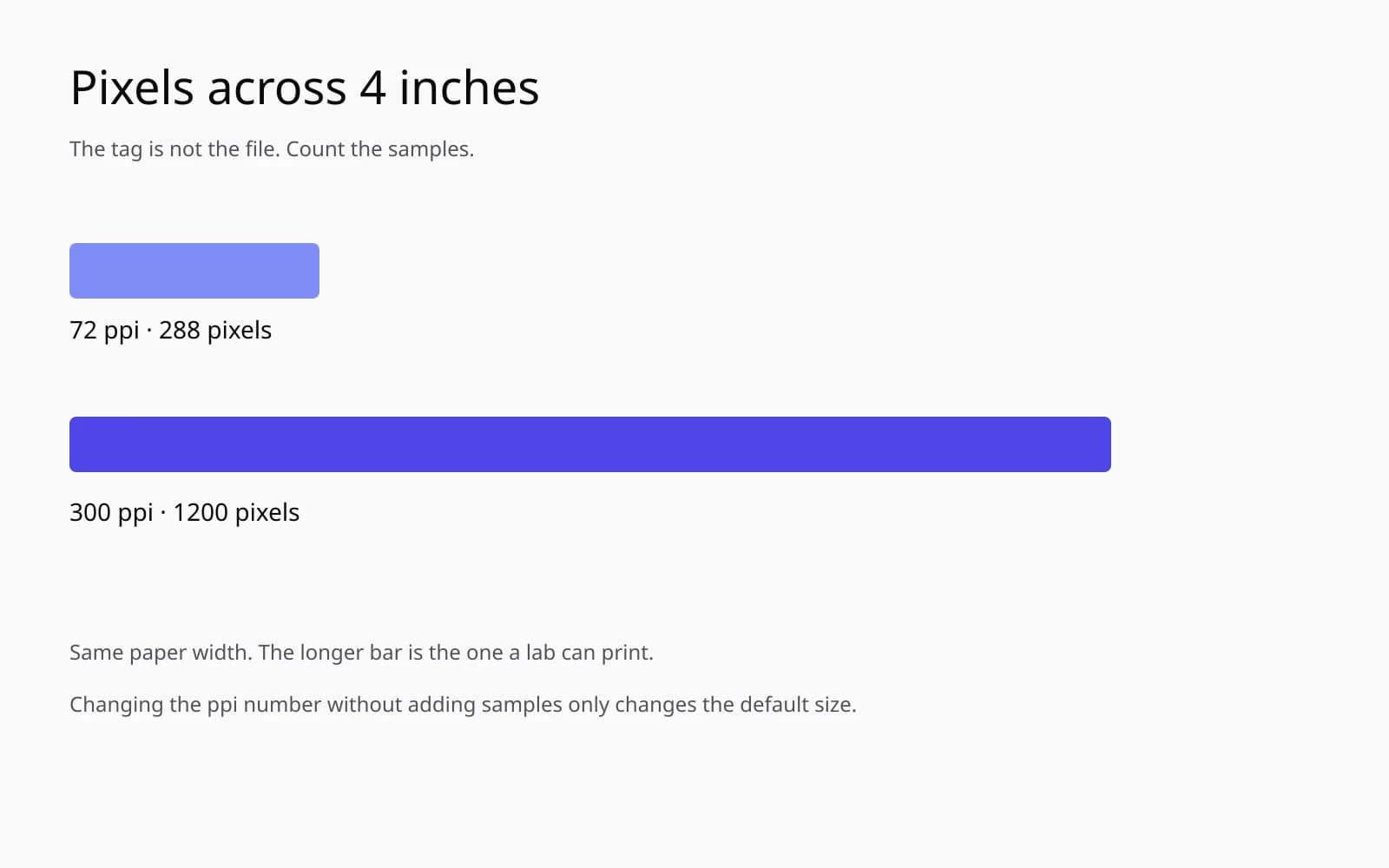
That sample is a generated drawing, hard edges, flat color, a panel and a figure. It is not the kitchen. I keep it on the second screen when a checklist person says they want the photo "as crisp as a graphic." A graphic is crisp because someone drew the edges. The kitchen is crisp in the full file because the sensor had enough samples of a real joint. The 800 file is neither. Changing the resolution field will not turn the email JPEG into the drawing, and it will not turn it into the sensor.
The sell sheet that went out
The kitchen printed at 8 inches. The grout is grout. The bottle is small on the page and still says MEYER if you care, and it does not say METER at any size. The manager wrote "looks high res" in the thread. I did not correct him in public. I saved the thread. The next time he says high res I will ask him whether he means the field, the effective number, or the joints.
She kept the rejected 4x in the folder with a note in the filename, DO-NOT-PLACE. I asked her to. A crisp METER is the sort of file a rushed person grabs at midnight because the dimensions are large. Midnight is when checklists win and bottles change brands. The zip is on her disk now, not only in the photographer's delivery mail. That is the unglamorous half of how to change resolution of image. Put the real pixels where the person with the template can reach them, and keep the invented ones where they cannot.
Questions that come up after the file is open
If I set the resolution field to 300, did I change the image?
You changed a label that layout software reads as a default size. The pixels stay 800 by 533. Placed at 8 inches, the sheet still has 100 pixels per inch of that file. I check pixel dimensions before I trust the field.
The manager said dpi and the panel says ppi. Which number is the file?
For this handoff they were using the words for one demand: make the placed photo satisfy a 300 checklist. Dots of ink are the printer's business. The photograph has pixels. I translate the demand into a pixel count at the print size and then see if we have them.
Resampling to 2400 pixels made the kitchen soft. Is that a sharpen problem?
Sharpening the resample outlined the grout and doubled it. The grout was one pixel in the 800 file. No radius brings back the running bond you can see in the full delivery JPEG. Find the larger original before you sharpen a guess.
The upscale made the bottle readable. Is readable good enough?
Not when it reads the wrong word. The 800 file cannot spell the label. The model wrote METER. The full file says MEYER. I will take an illegible true label over a crisp false one on a sell sheet.