Resolution · July 2, 2026
How to know my dpi when the scanner said 600
How to know my dpi when the scanner said 600 and the file is only 800 pixels long.
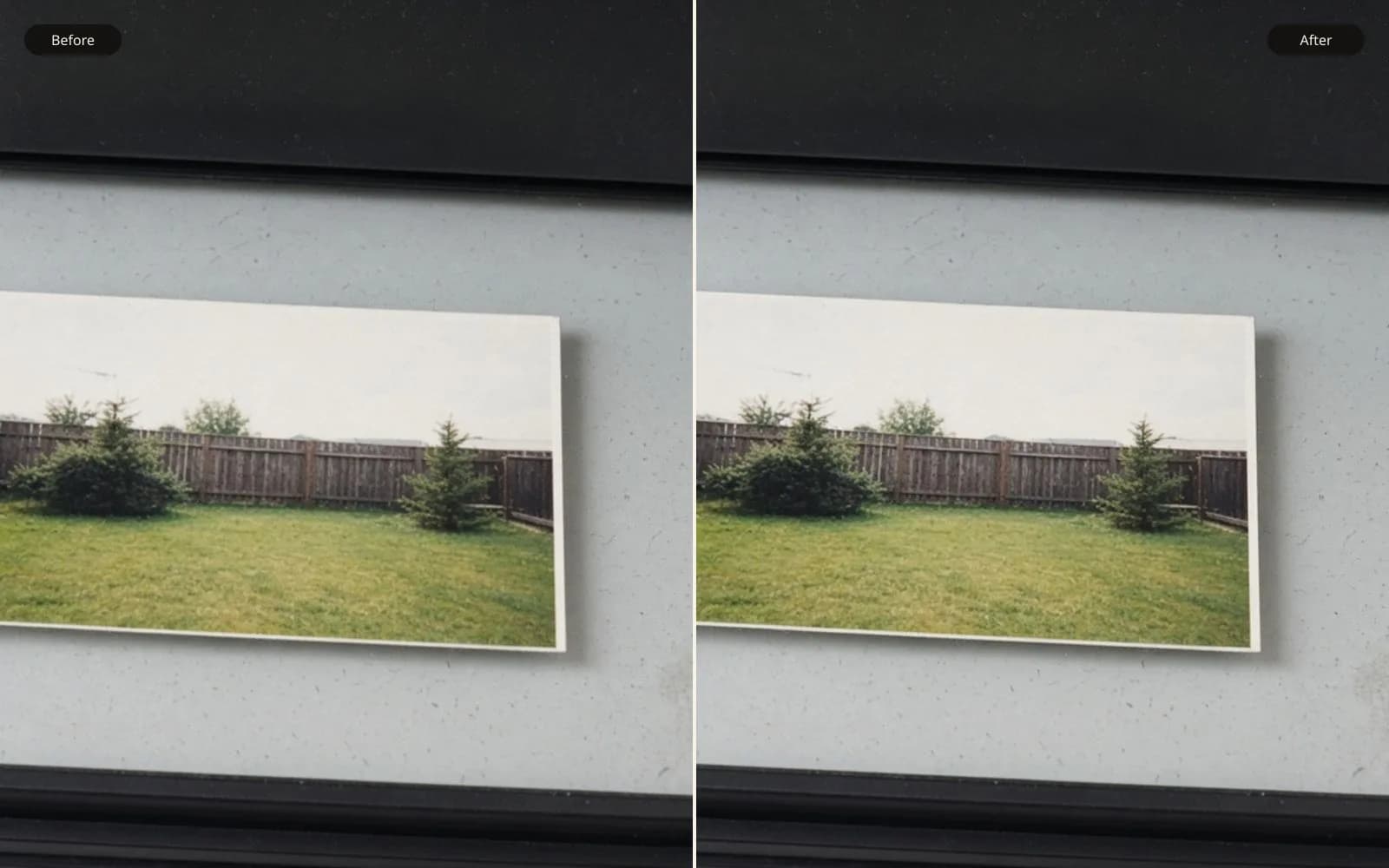
The scanner's 600 is a claim. Pixels divided by inches is the measurement. Check a 4×6 in the print calculator before you upscale toward a number the file does not have.
My mother came back from the library scanner with a USB stick and a question she had written on the receipt: how to know my dpi. The screen at the library had said 600 dpi. She believed the backyard print, a 1996 lab photo, had been captured at that quality. The file on the stick is a JPEG, 800 by 533 pixels, 240 KB. I measured the print with a ruler before I argued with the screen. The image area is 6 inches by 4 inches. Those three facts are the whole problem, and they do not agree with each other.
A true 600 pixels per inch across 6 inches is 3600 pixels. Across 4 inches it is 2400 pixels. She has 800 and 533. The file is about four and a half times shorter on each side than a 600 scan of that paper. The properties window still says 600 because the software wrote the scan setting into the JPEG and then resampled the pixels for an "email" preset without updating the story. The tag is a leftover. The pixels are the scan.
I keep a calculator on the desk for this and I refuse to open an upscaler until the division is done. How to know my dpi, in the way the question is usually meant, is how to know how many pixels you have for each inch you intend to print. The scanner's pride is not a measurement. The ruler and the pixel count are.
TL;DR. The library file said 600 and contained 800 by 533 pixels. The print is 6 by 4 inches, so a real 600 capture would be 3600 by 2400. Divide 800 by 6 and you get about 133 pixels per inch, which is what she actually received. The tag survived a resample. I re-scanned the same print at an optical 600 and got 3600 by 2400. That TIFF prints. The emailed-size JPEG does not become 600 by any change to the tag, and upscaling it to 3600 would invent the backyard.
The division, done slowly once
Pixels divided by inches equals pixels per inch. I call that ppi when I mean the file, because a pixel is a sample in the file. The scanner dialog said dpi, dots per inch, because scanner makers talk about the dots their sensor can make. For this job the words were used as if they were the same, and the dialog was wrong anyway. The arithmetic is the part I can repeat without the manual.
Long side: 800 pixels divided by 6 inches is 133.3 pixels per inch. Short side: 533 divided by 4 is 133.25. The two sides agree, which tells me the JPEG is the whole print and not a crop. If only the long side had been reduced, the ratios would fight. They do not fight. The whole frame was resampled.
Now read the tag the way a naive driver would. 800 pixels at a claimed 600 per inch would be 800 divided by 600, which is 1.33 inches. The paper is not 1.33 inches wide. I laid the ruler on it again while she watched. Six inches, plus a white border the lab left, which I am not counting as image. The tag describes a thumbnail-sized object. The object in her hand is a 6 by 4. Both cannot be the capture resolution of this file. The tag lost.
The re-scan at home, optical 600, no resample box checked, TIFF, came out 3600 by 2400. 3600 divided by 6 is 600. 2400 divided by 4 is 600. The dialog and the file finally say the same thing, because the file was allowed to keep the samples. That TIFF is about 24 MB at 8-bit color, uncompressed in the way our scanner writes it. The library JPEG was 240 KB. The size on disk was a hint before I did the division. Hints are not the measurement. The division is.
What I write on the receipt now
Pixels, inches, and the result of the division. For the library stick: 800 by 533, 6 by 4 inches, about 133 ppi, tag lies. For the home TIFF: 3600 by 2400, 6 by 4 inches, 600 ppi, tag agrees. If a later print size changes, I divide again. I do not reuse 600 as a personality of the picture. Six hundred was a scanner setting on one afternoon.
Intended inches, not original inches
How to know my dpi depends on the inches in the next print, not only on the inches of the old paper. The same 3600 pixel side is 600 ppi if I print 6 inches, and it is 360 ppi if I print 10 inches, because 3600 divided by 10 is 360. It is 300 ppi at 12 inches, because 3600 divided by 12 is 300. I can make a 12 inch wide print from the TIFF and still be at the 300 I want for a hand-held photo. I cannot make a 12 inch print from the 800 pixel JPEG. 800 divided by 12 is about 67 ppi. That is a soft rectangle with a backyard suggested inside it.
She wanted an 8 by 10 for a frame. The original is 6 by 4, which is a different shape, so an 8 by 10 crop throws away some of the long side. Take the TIFF. The short side, 2400 pixels, has to cover 8 inches if we fit the height. 2400 divided by 8 is 300 exactly. The long side has plenty to spare for the crop. The 8 by 10 from the TIFF is an honest 300. From the JPEG, 533 divided by 8 is about 67 again. Same file family, two different futures.
I printed the 8 by 10 from the TIFF and a small proof of the JPEG scaled up to the same inches, on the same paper, same afternoon. The TIFF proof shows blades of grass and the mortar line in the brick behind the grill. The JPEG proof shows green, red, and a smile. At 4 feet the smile is enough. In the hand, the JPEG proof looks like a photocopy of a photocopy. She chose the TIFF with no further debate. Comparison prints end this argument faster than a definition does.
The printer's dots are a third number
Our printer advertises 1200 dpi or 4800 dpi in the marketing line, depending on which box I read. That number is about droplets of ink, not about pixels in the backyard. Feeding the printer a file at 4800 pixels per inch does not make the grass sharper. The optical information topped out at the scan, 600 per inch of the original paper, and the paper print itself was probably made from a negative at a much more modest printer. Chasing the ink droplet number is how people upscale a scan into a giant soft file and then wait an hour to spool it.
For a print in the hand I plan on about 300 ppi in the file I send. For a frame on a wall, seen from 5 or 6 feet, I have printed 180 and been content, and I have printed 150 when the alternative was inventing detail. I do not plan on 72. The old screen habit of 72 ppi is a story about early displays. It is not the resolution of this JPEG and it is not a target I will resample toward. If a layout program drops 72 into a new document, I look at the inches it inferred and I type the inches myself.
The library software put 600 in the tag and 800 in the pixels and 72 nowhere, so we did not have the screen myth this time. We had the scanner myth, which is more convincing, because 600 sounds like a professional choice. It was a professional choice that got resampled on the way to the stick. The preset name, buried in a summary screen she photographed with her phone, was "email large." Email large meant 800 pixels. The 600 remained as decoration.
A table I can reuse when the next stick arrives
These rows are this print. The method is the division. The next print will have different inches and I will not copy the 133 as if it were a constant.
| File or target | Pixels on the long side | Inches | Division |
|---|---|---|---|
| Library JPEG | 800 | 6 inch original | about 133 ppi |
| Tag read naively | 800 | 800 divided by 600 is 1.33 | Tag does not match the ruler |
| Home TIFF | 3600 | 6 inch original | 600 ppi |
| TIFF printed 10 inches wide | 3600 | 10 | 360 ppi |
| TIFF printed 12 inches wide | 3600 | 12 | 300 ppi |
| 8 by 10 crop from TIFF | 2400 on the short side | 8 | 300 ppi |
| JPEG forced to 8 inches | 533 on the short side | 8 | about 67 ppi |
| Printer droplet claim | not a file | the box says 1200 or 4800 | Not a scan measurement |
The row I point at first is the tag row. People feel scolded when a number they can see in a window is called a lie. I show the 1.33 inches next to the ruler. The ruler is friendlier than I am. The last row keeps me from "matching" the printer by making a pointless giant file.
Steps on the day the dialog and the file disagree
I would rather do these in order than remember them after a week of upscaling the wrong JPEG.
- Measure the image area with a ruler, not the paper size printed on the old lab envelope.
- Read the pixel dimensions from a file info window that shows pixels, not a print preview.
- Divide each side's pixels by the matching inches. The two results should be close.
- Read the metadata tag only after that, and see whether its implied inches exist on the paper.
- Look for another file from the same session with a larger pixel count.
- If the large file does not exist, re-scan at an optical setting and uncheck any resample or email preset.
- Decide the new print's inches, and divide again.
- Only then decide whether the number is too low for the viewing distance, and refuse to invent the difference if a re-scan is possible.
The envelope said 4 by 6, and the image area was 6 by 4 of actual picture. The envelope was close. I still measured, because a white border of a quarter inch would have changed the division. A quarter inch on a 600 scan is 150 pixels. That is enough to make a careful person think the scanner missed its setting. Borders are why the ruler touches the picture, not the paper edge, unless the border is part of what you will print.
The drawing I count instead of counting her yard
The backyard has her in it, and I am not using her face as a unit of measure on a public page. I use a generated drawing that is 960 pixels wide and 640 pixels tall: a round head, a teal rectangle of a body, a teal panel with a yellow circle, a dark rectangle, three tan bars, and a small green shape on a brown floor. I know those dimensions because I can read them, the same way I read 800 by 533.
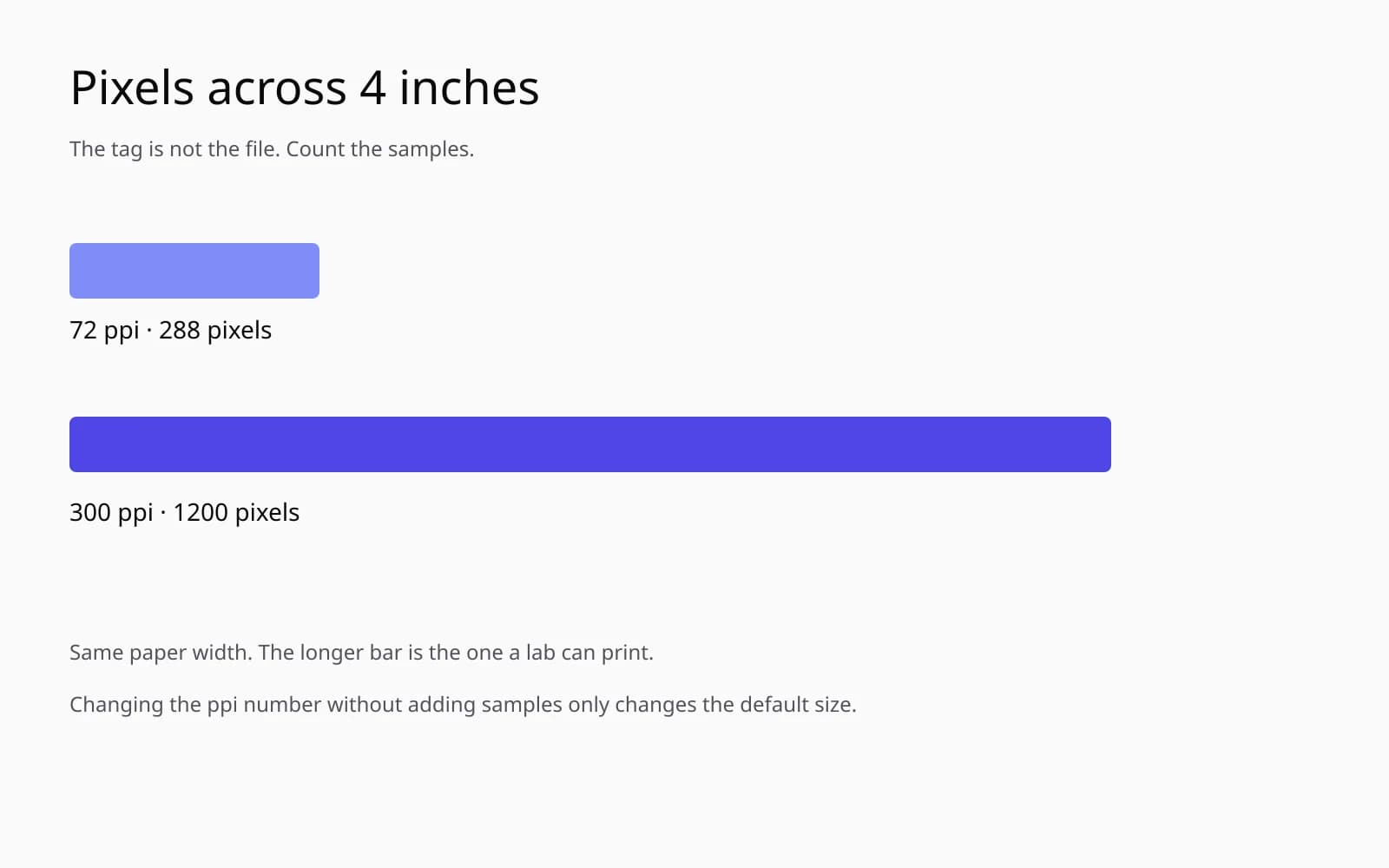
If I print that drawing 6 inches wide, 960 divided by 6 is 160 pixels per inch. If I print it 3.2 inches wide, 960 divided by 3.2 is 300. The drawing does not become a different drawing when I change the inches. The ppi changes because the inches changed. That is the entire lesson, with no scanner dialog involved. Her JPEG works the same way. The 800 pixels stay 800 pixels whether the tag says 600 or 72 or nothing.
The drawing is not a scan of a photograph and it is not a person. The smile is a curve. I can tell her, without opening her family picture, that a file this wide wants about 3.2 inches if she is chasing 300, or it can go larger if she accepts a lower ppi and a longer viewing distance. Then we open her TIFF, which has the pixels for the frame she actually bought.
What I will not do to the 800 pixel JPEG
I will not type 600 into the ppi field and call the problem solved. Changing the tag does not add pixels. It only changes the inches a layout program will infer, which is how an 800 pixel file suddenly wants to print 1.33 inches wide and then gets scaled up by "fit to frame" into mud. We saw a cousin of that behavior on a badge job. This library file does not need a driver story. It needs the correct pixels.
I will not upscale 800 to 3600 to imitate the scan we can still make. The factor is 4.5. A 4.5 times enlargement of a resampled JPEG invents brick and grass. The AI image upscaler can do that enlargement, and I use it when the paper is gone and the inches are modest. The paper is on the table. Optical 600 is available in the next room. Inventing the backyard would be a hobby, not a restoration.
Enhance photo quality is the wrong first move for the same reason. The JPEG is soft because samples were thrown away, not because the afternoon was hazy. Enhancing the 800 pixel file makes a slightly more confident blur. Enhancing the TIFF is unnecessary for an 8 by 10 at 300. The grass is already there. I did remove a dust speck that the home scan picked up, a single white dot on the brick, about 4 pixels in the TIFF. That is a spot, not a resolution change.
If the print had been lost and the JPEG were the only record, I would divide 800 by the inches she insists on, tell her the ppi, and choose a smaller frame. A 3 inch wide print from 800 pixels is about 267 ppi, which I would sign. A 4 inch wide print is 200, which I would sign for a wall. An 8 inch wide print is the proof we already held, and I would not sign it. The upscaler might buy a little at 4 inches and would not buy a real 8 by 10. I would say that with the division written down, so the limit is a number and not a mood.
Re-scan settings I actually used
Optical resolution 600, not "enhanced 1200." Enhanced, on this scanner, means a double-resolution claim made by resampling. I have tested it with a printed target. The 1200 enhanced file is larger and not sharper than the optical 600. I will pay disk space for optical samples. I will not pay it for a software double.
Color, 8-bit, is enough for this lab print. I did a 16-bit pass as a check and the backyard did not gain tones I could see in a proof. The negative that made the 1996 print had already been through a lab. Sixteen bits will not recover the negative. I kept the 8-bit TIFF as the master and a JPEG export for the frame shop at the 8 by 10 pixel size, 2400 by 3000, which is 300 ppi at those inches. The export's tag says 300 because I set it to match the inches. For once the tag, the pixels, and the frame agree: 2400 divided by 8 is 300, and 3000 divided by 10 is 300.
No unsharp in the scanner software. The lab print is a little soft in the shadows already, and scanner sharpening draws a line along the brick that was not in the mortar. I looked at the mortar at 100 percent in the TIFF. It is a gray joint about 3 pixels wide. Sharpening at the scan made it a dark line with a light edge. I turned the sharpening off and scanned again. The second TIFF is the keeper. The first is named sharpened-by-scanner-rejected.
The glass was dusty in a corner that did not hit the print. I cleaned it anyway. A dust speck in the sky of a scan gets blamed on "low resolution" by people who cannot see that it is a speck. One speck, cloned, is not a dpi problem. I do not want those categories mixed when she takes the next print to the library.
How to answer the question in one minute
If you have the file open and the print in your hand: read the pixels, measure the inches, divide. If you know the inches you want to print next, divide by those instead. If the metadata tag disagrees with the division, believe the division. If the number is far below about 200 and someone will hold the print, either print smaller or find a file with more pixels. If the number is near 300, stop worrying and make the print.
How to know my dpi is that minute. The rest of the afternoon was a re-scan because the minute produced 133 and she owned a frame that needed 300. The library did not cheat her on purpose. An email preset and a proud 600 can live in the same summary screen. The JPEG cannot live as both.
I saved a photograph of that summary screen in the folder, next to library-800.jpg and home-3600.tif and frame-8x10.jpg. The text file has the divisions written out in sentences, not in a spreadsheet, because she will read sentences. 800 divided by 6 is about 133. 3600 divided by 6 is 600. 2400 divided by 8 is 300. Three sentences, three decisions. The frame on the wall is the third sentence.
The notes that answer the neighboring questions
What is a picture resolution is the longer definition, pixels and inches as separate facts. How to tell image resolution is how I read a file info window without trusting the first word I see. How to change resolution of image is what happens when you really do need a different pixel count, and when changing the tag is not that. This library trip is the case where the change had already happened in secret, down to 800, and the honest repair was to scan again.
The backyard is on the wall at 8 by 10. The grass is grass. The tag on the print file says 300 because the pixels and the frame say 300. I can explain that in the one minute. I cannot explain it from the library dialog, and I no longer try.
Questions that come up after the file is open
Is the number in the file's properties the true scan resolution?
Not by itself. This JPEG still said 600 after it had been reduced to 800 pixels on the long side. I divide pixels by the inches I measured with a ruler, and that division is the number I trust.
What is the difference between dpi and ppi?
I use dpi for what a scanner or printer claims about its own dots, and ppi for pixels in the file divided by inches on paper. The dialog mixed those words. The arithmetic does not care what the dialog called it.
Should I upscale the 800 pixel file until the tag reads like a 600 scan?
No. A 6 inch side at 600 pixels per inch wants 3600 pixels, and stretching 800 to 3600 invents the samples. I re-scanned and got a real 3600 by 2400 file instead.
What ppi do I need for a print in the hand?
For a print someone holds, I aim near 300 pixels per inch and I will accept a little less on a wall seen from several feet. The 800 pixel file at 6 inches is about 133, which is soft in the hand and only plausible at a small size.