Upscale a Photo for a Poster Without Pretending It Is a Billboard Scan
An 18 by 24 inch poster at 300 ppi wants 5,400 by 7,200 pixels. From across a room, 150 ppi: half those pixels on each edge: often holds. The calculator lets you see which standard you are actually meeting.
- No signup for the first three
- Deleted after 24 hours
JPEG, PNG, WebP, or AVIF. No account for the first three repairs.
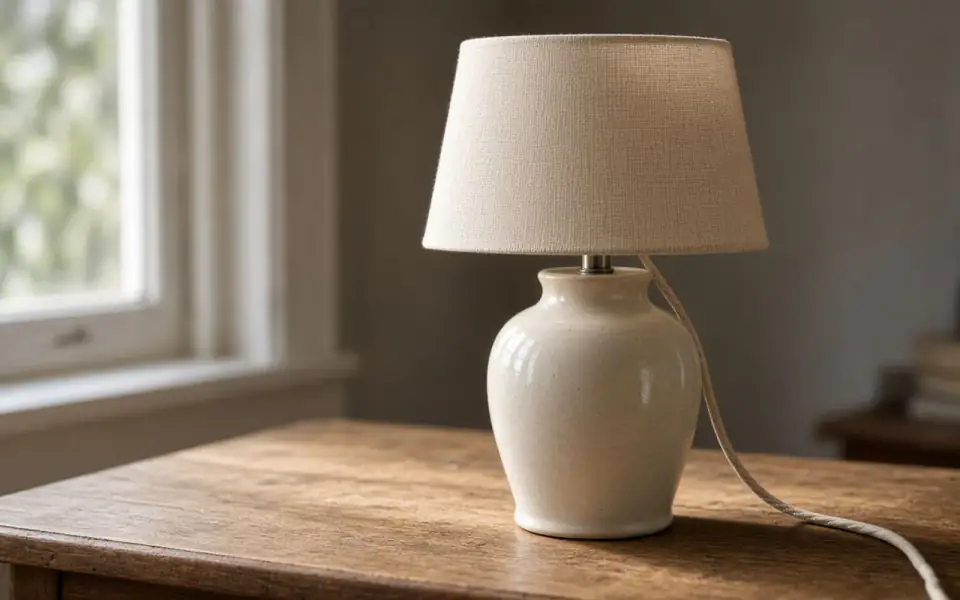

Left: the lamp broken into blocks. Right: the clear photo.
Poster
Distance is part of the spec
A poster is not a 4×6. People do not hold it at reading distance, unless you printed the wrong thing. At 150 ppi, 18 inches wants 2,700 pixels and 24 inches wants 3,600. A 2× of a 1800-pixel file lands in that neighborhood. At a strict 300 ppi you need 5,400 by 7,200, which is 4× of something near 1,350 by 1,800, or 8× of something near 700 by 900. The second of those is a heavy invention. Studio will run 8×. You should look at 2× first and be willing to stop.
The free download at 3,200 px is a proof you can put on a screen. It is not a poster master at either 150 or 300. Pro and Studio keep the full file. Pro's input cap of 4,096 means the enlarged output can still exceed 4,096 because the cap is on the upload, not a promise about the output. Know the file size you are about to create. A huge master is a storage problem on your side after we delete ours.
If the poster is type plus a photograph, upscale the photograph and set the type in the layout. Invented letters at poster scale are readable as wrong. If the poster is a face, the likeness problem scales with the paper. Face restore is optional, paid, and easy to regret at 24 inches.
One sheet, then the edition
Print a single proof at the size people will see, or at least inspect a 100 percent crop of the file at the ppi you chose. Batch twelve or forty is for a set of posters that share a look, after that proof. Credits do not roll over, and the subscription is not refunded if the proof fails your taste. A job that errors is not charged.
free pages show ads on the page. No watermark on the preview. Deletion after 24 hours, so the print shop gets the file from you. JPEG, PNG, WebP, or AVIF. Export HEIC first. A black-and-white poster can take the colorize mode. The dyes are a guess, and the person looking at the slider is still the editor.
A poster has a viewing distance
18 by 24 inches at 300 ppi is 5,400 by 7,200 pixels. At 150 ppi it is half of each edge, 2,700 by 3,600, and that is a legitimate spec for a sheet seen from across a room. People who will walk up to the poster and read a face want to be nearer 300, or they want a photograph that was already large. 8× from a tiny still will fill the grid and publish every invention. Test 2×. If the crop looks like a different scene, stop, even if the calculator says you are short.
Type stays in the layout program. Invented letters at poster scale are readable as wrong, which is worse than a soft photograph. A face at 24 inches needs a likeness check against another picture, not against the hope that sharpness equals identity. The free 3,200 px download is a screen proof. It is not the master at 150 or at 300. Pro and Studio keep the full file.
One proof, then an edition. Twelve or forty is the batch after the proof, not before. Credits do not roll over. The fee is not refunded. Failures are not charged. Colorize can guess dyes on a black-and-white original. There is no HEIC decode. The API can fetch the file today, not tomorrow. Download it today.
What to keep beside the slider
18 by 24 inches is 5,400 by 7,200 at 300 ppi and 2,700 by 3,600 at 150. Distance picks the spec. A hallway where people stop is closer to 300. A sheet across a room can live at 150. 8× will fill either grid from a tiny still and will also publish every invented pore. Test 2×. If the crop is a different scene, decline the poster or find a larger original. Type is set in the layout, not invented by the model. A face needs a second photograph, not a sharpness score.
The 3,200 px free file is a screen proof. Pro and Studio keep the master. One proof, then an edition of twelve or forty. Credits do not roll over. The fee is not refunded. Failures are not charged. Colorize is available for a black-and-white original and is still a guess. No HEIC decoder is hiding in the poster preset. Download the file the day it looks like the event. The sweep does not know the event is next week.
Three steps on this file
01
Decide 150 or 300
Across a room, 150 ppi is a legitimate target. In a hallway where people stop, aim nearer 300.
02
Test 2×
If the crop looks invented, a poster will publish the invention.
03
Download the full file on a paid plan
Then send your copy. Ours is deleted after 24 hours.
Pixels for this paper
A common lab poster. 5,400×7,200 pixels is 300 ppi. Viewed from across a room, 150 ppi can still hold. The calculator uses the size you type. It does not upload a photo.
Settings that matter here
- 5,400×7,200 is the 300 ppi 18×24. Half of each edge is the 150 ppi version.
- 8× is four credits and a last resort.
- Type stays in the layout program.
- A3 is the smaller sheet if 18×24 was a guess.
Where this shows up
A event poster from a small still
150 ppi may be the honest spec. Measure before you pick 8×.
A family enlargement
Likeness first, pixels second. Another photograph of the same person is the check.
Limits and formats
JPEG, PNG, WebP, and AVIF decode on the server. HEIC from a phone needs to be exported to JPEG first. The preview is not watermarked. Guest and Free plan downloads are capped at 3,200 px on the long edge. Pro and Studio download the full file. Nothing on this site is an ad.
Guest
- Price
- $0
- Credits
- 3 / day, no account
- Batch
- 1
- Upload
- 6 MB
- Long edge
- 2,000
- Download
- 3,200 px
Free
- Price
- $0
- Credits
- 3 repairs / day
- Batch
- 1
- Upload
- 8 MB
- Long edge
- 2,560
- Download
- 3,200 px
Pro
- Price
- $12/mo
- Credits
- 120 credits / month
- Batch
- 12
- Upload
- 20 MB
- Long edge
- 4,096
- Download
- Full size
Studio
- Price
- $29/mo
- Credits
- 500 credits / month
- Batch
- 40
- Upload
- 40 MB
- Long edge
- 8,192
- Download
- Full size
| Plan | Price | Credits | Batch | Upload | Long edge | Download |
|---|---|---|---|---|---|---|
| Guest | $0 | 3 / day, no account | 1 | 6 MB | 2,000 | 3,200 px |
| Free | $0 | 3 repairs / day | 1 | 8 MB | 2,560 | 3,200 px |
| Pro | $12/mo | 120 credits / month | 12 | 20 MB | 4,096 | Full size |
| Studio | $29/mo | 500 credits / month | 40 | 40 MB | 8,192 | Full size |
Questions worth asking first
How many pixels is an 18×24 at 300 ppi?
5,400 by 7,200.
Is 150 ppi wrong?
Not for a poster seen from across a room. It is soft for a print held in the hand.
Is the preview watermarked?
No. Guest and Free plan downloads are capped at 3,200 px on the long edge. Pro and Studio download the full file.
What if the job fails?
The credit is returned. A failed job is not charged. A finished file you dislike does not return the credit or the subscription fee.
How long do you keep the upload?
Uploads and results are deleted 24 hours after the job is created.
Can I cancel?
Yes. Subscriptions cancel anytime and are not refunded. The plan lasts until the period you already paid, then the account returns to Free plan.
From the guides
Run it on the file you actually have
Three guest repairs a day, no card. If the slider invents a detail you cannot defend, do not download it. Paid plans cancel anytime and are not refunded. A failed job is not charged. The file is deleted after 24 hours.