Enhance a Wedding Photo and Keep the Couple
A reception is low light, motion, and people you are not allowed to genericize. The dress, the face, and the room are three different defects.
- No signup for the first three
- Deleted after 24 hours
JPEG, PNG, WebP, or AVIF. No account for the first three repairs.
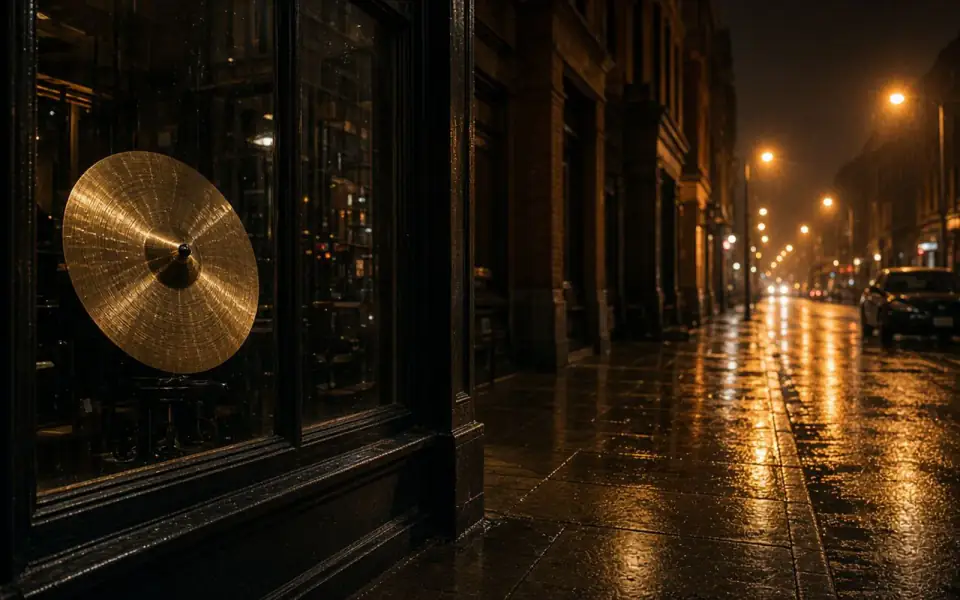
Left: coarse grain over the street. Right: the cleaner photo.
Wedding
Sort the card before you pick a mode
Flash frames are often sharp and a little harsh. Ambient frames are often true and smeared. Noise lives in the ambient shadows. A short camera shake can take unblur. A long smear of a dancing couple cannot, and the motion page explains why a five-position hand should stay. Do not run one mode across the card because the import dialog made it easy.
Faces are the portrait problem with a witness. Face restore can put a contemporary smile on someone the family will notice. Use it only when the features have collapsed, on Pro, with another picture of that person nearby. Unblur is the guest test when the face is soft but still theirs. Denoise the speckled background and stop when skin turns to wax.
The dress and the suit are fabric. A weave that doubles or a lace edge that fringes is the tell that 4× went past the evidence. Prove the enlarge on a crop of the lace before you spend two credits a frame across the set. 8× is almost never the right tool for a day that was already photographed on a modern camera.
Batch the day like a proof, not a dump
Pro batches 12. Studio batches 40. A wedding is larger than either, so it is several jobs, and the first job is one frame. If that frame ghosts a mullion or changes a face, stop. The credits you did not spend are the point of the test. Packs exist for a delivery week: they last 365 days, spend after plan credits, and are not refunded. A failed frame still returns its credit.
Commercial use is allowed on every plan, including Free plan, when you have the rights. A couple’s contract is your business. Our processing license lasts 24 hours and is not a model release. Download the selects and store them in the gallery you actually deliver. We delete ours, on a paid plan the same as on a guest repair.
The free download of 3,200 px covers an 8×10 proof at 300 ppi. An album spread that needs a longer edge is Pro or Studio. Do not describe the free file as the album master if the spread is larger. The preview is full quality either way, with no watermark and free pages show ads, so you can reject a frame before you pay for the size.
What not to do to a wedding
Do not colorize a color reception. Colorize is for a black-and-white photograph, and the dyes are a guess. A black-and-white set the couple asked for in color is the colorize page, after denoise, and both versions should be kept. Do not invert a negative here. Do not decode HEIC. Export the camera roll first, at the original long edge, or you will repair a shrunk JPEG.
A detail of the rings or the invitation is the text problem. Read the names after any repair. A changed letter on a place card is a failure that looks like a success. Crop the photograph and retype the card if the words are the subject.
The API can run the proved mode across a selects folder, inside the batch cap and the ten-minute window. It will not watch a folder overnight, and it will not still have the files in the morning. Pro is $12 or $120 a year. Studio is $29 or $290. Cancel anytime. The fee is not refunded.
A worked frame
Pick the first dance, not the formals. The formals are probably fine. The dance is ambient, a little noisy, and the couple’s hands may be short streaks. Denoise the background speckle and look at the lace on the dress before you unblur. If the lace doubles, stop, even if the noise improved. If the hands are five positions long, leave the motion. It is the dance. Do not face-restore the couple because the room was dark. Their features are probably still there. Unblur is the one-credit test if the faces are merely soft, and another photograph from the formals is the likeness check. Only after that frame is a file you would print do you batch similar ambient frames, 12 at a time on Pro. A wedding is more than 12. The rest wait for the next job, and all of them are deleted here after 24 hours, so the gallery you deliver is the one you downloaded. The free 3200 px edge covers an 8×10 proof of this dance. The album spread, if it is larger, is the paid file.
Three steps on this file
01
Split flash, ambient, and motion
They do not want the same mode. Prove one of each if you have all three.
02
Protect the faces
Unblur when they are soft. Face restore only when they have collapsed, and only against another picture.
03
Batch the selects, then download
Twelve or forty at a time. The gallery that lasts is the one on your disk.
Settings that matter here
- Lace and lettering are the crops to inspect.
- A long dance smear is the picture. Leave it.
- Do not denoise a couple into wax.
- Export HEIC before you leave the venue if the roll is the only copy.
Where this shows up
A dark first dance
Denoise the shadows, then look at the faces. Unblur only if the smear is short.
A parent’s printed album
The scan is the old-photo problem. The digital selects are this page. Do not mix the modes.
Limits and formats
JPEG, PNG, WebP, and AVIF decode on the server. HEIC from a phone needs to be exported to JPEG first. The preview is not watermarked. Guest and Free plan downloads are capped at 3,200 px on the long edge. Pro and Studio download the full file. Nothing on this site is an ad.
Guest
- Price
- $0
- Credits
- 3 / day, no account
- Batch
- 1
- Upload
- 6 MB
- Long edge
- 2,000
- Download
- 3,200 px
Free
- Price
- $0
- Credits
- 3 repairs / day
- Batch
- 1
- Upload
- 8 MB
- Long edge
- 2,560
- Download
- 3,200 px
Pro
- Price
- $12/mo
- Credits
- 120 credits / month
- Batch
- 12
- Upload
- 20 MB
- Long edge
- 4,096
- Download
- Full size
Studio
- Price
- $29/mo
- Credits
- 500 credits / month
- Batch
- 40
- Upload
- 40 MB
- Long edge
- 8,192
- Download
- Full size
| Plan | Price | Credits | Batch | Upload | Long edge | Download |
|---|---|---|---|---|---|---|
| Guest | $0 | 3 / day, no account | 1 | 6 MB | 2,000 | 3,200 px |
| Free | $0 | 3 repairs / day | 1 | 8 MB | 2,560 | 3,200 px |
| Pro | $12/mo | 120 credits / month | 12 | 20 MB | 4,096 | Full size |
| Studio | $29/mo | 500 credits / month | 40 | 40 MB | 8,192 | Full size |
Questions worth asking first
Can I try this without an account?
Yes. Guests get 3 credits a day. 2×, denoise, and unblur cost one. Colorize costs two. 4× and face restore start on Pro. 8× is Studio.
Can I batch the whole wedding?
In groups of 12 on Pro or 40 on Studio, after one frame has passed. Not as one unlimited job.
Is the preview watermarked?
No. Guest and Free plan downloads are capped at 3,200 px on the long edge. Pro and Studio download the full file.
What if the job fails?
The credit is returned. A failed job is not charged. A finished file you dislike does not return the credit or the subscription fee.
How long do you keep the upload?
Uploads and results are deleted 24 hours after the job is created.
Can I use the result commercially?
Yes, on every plan, including the free tool, when you have the rights to process the file.
Related tools
From the guides
Run it on the file you actually have
Three guest repairs a day, no card. If the slider invents a detail you cannot defend, do not download it. Paid plans cancel anytime and are not refunded. A failed job is not charged. The file is deleted after 24 hours.