Tools · August 8, 2026
The best app for fixing blurry photos keeps the original
The best app for fixing blurry photos is a custody question: where the file lives, whether it is uploaded, and how you judge it.
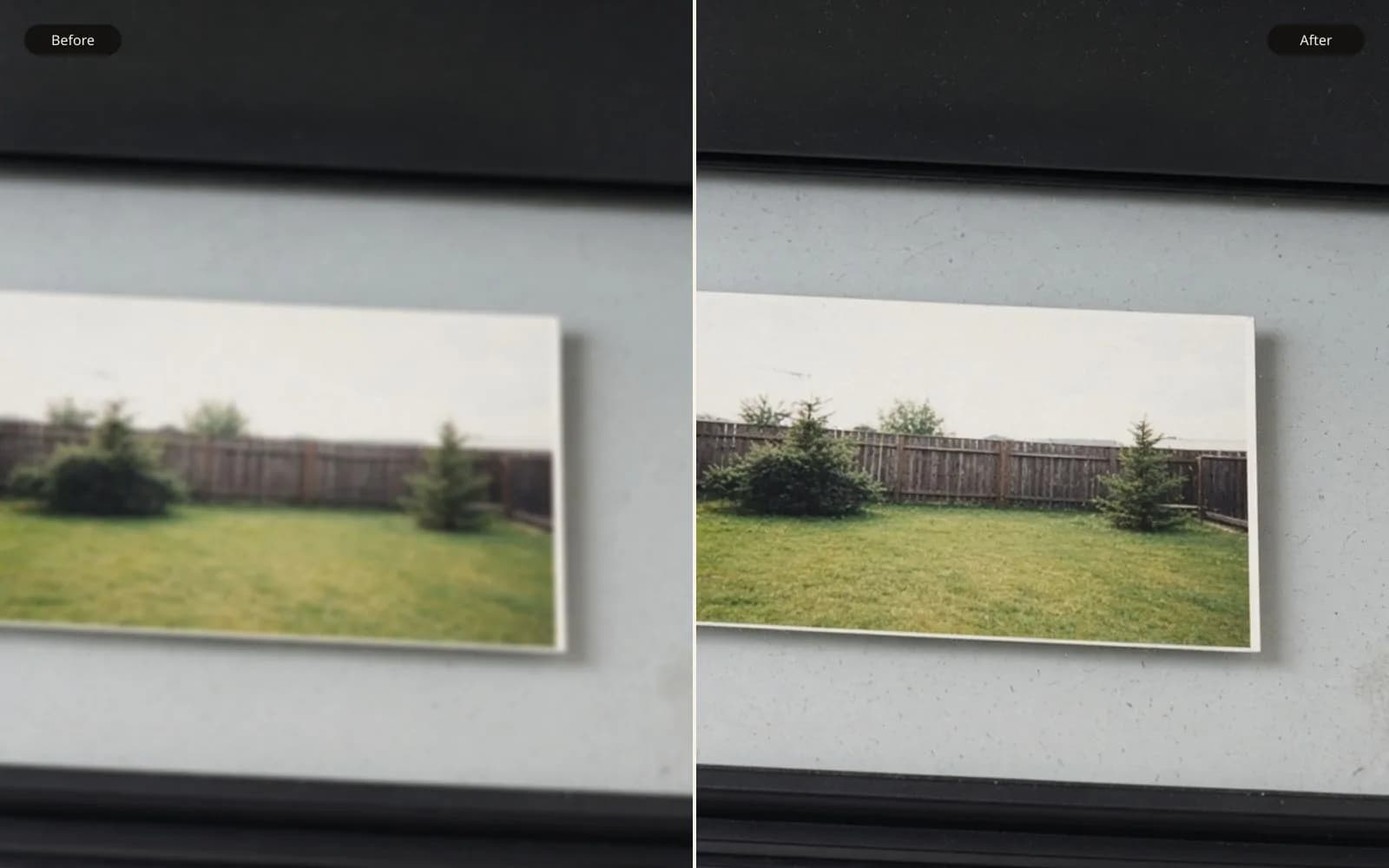
The useful app is the one that leaves the original in the slider. Unblur the image and keep the soft frame beside the repair.
Someone wrote and asked for the best app for fixing blurry photos, and they attached a link to a download page. I did not open the link. I asked where the originals lived, whether a repair would replace them, and whether the pictures were allowed to leave the building. They had a folder of a reunion on a laptop and no second copy. Until that was sorted, a ranking of apps would have been a way to lose the folder faster.
TL;DR. I do not pick a repair app by a thumbnail. I pick it by custody. The camera files live in a read-only folder, and the app never gets that path. I upload a judge JPEG, not the raw file, and only to a tool I am willing to hand a copy. A watermark may sit in a corner and may not sit on the eyes. Batch is how sharp frames get etched, so I sort first and run the mild ones one at a time. I judge side by side, on a banner that has a correct spelling and on the eyes. A tool that only shows the after is failing this test even if the engine is good.
The folder is the method
The job was a reunion evening, a hired hall, one camera, a Nikon D750. I copied the card into jobs/reunion-2019/camera/ the night of the event and then set that folder read-only. Sixty-four NEF files, between 41 and 52 megabytes each, about 2.9 gigabytes. The speech frame I use as the worked example is DSC_4412.NEF, 46.1 megabytes, 6016 by 4016, 1/40 second, 35mm at f/2.8, ISO 3200. A man at a microphone, a paper banner behind him, a short vertical shake from me standing too casually at the side of the room.
Nothing in this essay is a contest between a phone one-tap and a mask on a wedding veil. I have done that contest on a different file, and it answers a different question. The note is best app to fix blurry photos. This one is about who holds the negative while you are still choosing.
The layout I want before any app is installed:
camera/is the card copy. Read-only. No app's save dialog is aimed here, not once.judge/is a JPEG I export myself, full size, sRGB, sharpening off, noise reduction off. This is the file an app is allowed to see.experiments/is where downloads land, with the tool name in the filename.delivery/is empty until I have accepted a file in daylight.notes/is a text file per frame I actually touch, with the shutter and the reason.
DSC_4412-judge.jpg is 6016 by 4016, 9.6 megabytes. I can email it poorly and I can still see the banner. I do not need the NEF on someone else's server to find out whether a repair eats the lettering. If the judge JPEG survives, I can rerun the same idea from the raw conversion for the delivery. If it does not survive, the NEF never had to be involved.
The read-only bit is the feature I trust
I have watched a "save" button write a JPEG over a raw filename's sibling and then, on a worse day, export back into the folder I was browsing. The read-only bit does not make me virtuous. It makes that mistake noisy. The app errors, or the system errors, and the NEF's modification time stays on the night of the reunion. I check that time on DSC_4412.NEF after any session. If it is newer than the copy night, something wrote to it and I restore from the second disk before I do anything else.
The second disk is a small drive labeled reunion-2019-card, written once, not left mounted. An app cannot see a drive that is in a drawer. This is dull and it is the whole safeguard. The best app for fixing blurry photos is a meaningless phrase if the app is pointed at the only copy.
What "the file leaves the machine" actually means
Some tools run on the JPEG in front of you. Some upload it, run a model, and hand you a download. Some upload it into a product that also posts, shares, or keeps a gallery. Those are not the same custody, and I refuse to blur them into "it is all in the cloud" and shrug.
For the speech frame I used a tool that states the file is uploaded for the prediction. I uploaded DSC_4412-judge.jpg. I did not upload DSC_4412.NEF. The result came back as a download, which I saved as experiments/DSC_4412-tool.jpg, 6016 by 4016, 11.1 megabytes. The larger size is the extra local contrast, the same boring reason a sharpened JPEG often weighs more. The NEF's timestamp did not change. That is a custody story I can live with for a reunion speech: a copy of a JPEG went out, a copy came back, the negative stayed.
I would not live with a tool whose only output is a post. The banner says REUNION 2019 in block letters, and the man is identifiable, and the room was not a public event in any sense that includes a feed. A filter that keeps the result inside a chat thread is a publication, not a repair. I do not need a dramatic policy reading to make that call. If I cannot point at a file on my disk and say it is the result, I do not have a result. I have an account.
There is a middle case I also refuse. An app that uploads, returns a preview with a heavy mark, and holds the clean file until I make an account I do not want. The preview is fine as a preview. Holding the only clean version inside an account I might lose is not fine when the NEF is the archive and the delivery is due on a date. I want the clean pixels as a file in experiments/, named by me, so the delivery does not depend on a login next Thursday.
I am not giving legal advice about training sets. I am saying what I did. The judge JPEG of a speech was a copy I was willing to send to a model host I already use. The raw folder was not. Faces and a banner with a year are enough reason to keep that line dull and consistent. Can AI unblur an image is where I talk about what the model is predicting once the file is there. Custody is the decision before that prediction is worth discussing.
Watermarks and the parts of the picture I have to see
A watermark is a custody tool and a judgment problem at the same time. It stops a preview from being mistaken for a delivery. It also hides pixels. If the hidden pixels are the ones I use to accept or reject the repair, the preview is not a preview of the decision. It is an advertisement.
On DSC_4412-judge.jpg my decision regions are small. The eyes of the man at the mic. The letters REUNION 2019, especially the U, the N, and the 9, which fill in or grow spurs when a model gets confident. The microphone grille, a regular grid that turns into mush or into a different grid. A mark through any of those means I will not say yes or no.
A mark in the lower corner, over a patch of dark curtain I do not care about, is acceptable on a free or guest preview. I used one of those previews to see whether the banner survived at all. Then the clean file had to match the preview on the banner and the eyes. I flip between DSC_4412-tool.jpg and a screenshot of the marked preview with the corner covered. The letters should not "improve" further in the clean file. If the clean file is a different, stronger repair, the preview was bait. That has happened to me with a tool I will not bother to name. The clean export added skin texture the preview did not have. I rejected the export. The preview had been the honest output, mark and all, and the paid file had been a second algorithm.
The speech frame's accepted file has no mark. It lives in experiments/ and, after the morning check, a copy went to delivery/. The marked preview stayed in experiments/previews/ so I can remember what I was shown. I do not deliver a marked file and call it a style. The mark is not a style. It is a claim that the file is not finished.
Batch is how the sharp frames get ruined
Sixty-four frames is enough that a batch button looks like the product. I sorted them on a free plan before I let any repair run, and I wrote the counts in notes/sort.txt so I would not round them later into "most of them were blurry."
Eleven were sharp. Posed pairs by the door, flash, 1/125 or faster, the banner readable, eyes clear. They do not need a deblur. A batch that includes them will still "improve" them. Improvement on a sharp eye is extra iris texture and a crunchy banner. I have seen a sharp frame come out of a batch with the number 9 turned into a blob with a highlight. The original 9 was fine. The batch did not check.
Nineteen were mild. Slight shake, or a focus that sat a little behind the subject, subject still recognizable, banner still a word. DSC_4412 is in this pile. These are the only files I was willing to run.
Thirty-four were motion I would not repair. Dancing, a slow shutter in a dark hall, limbs in several places, sometimes a sharp background and a smeared person, sometimes everything smeared because I moved too. A deblur that picks one limb position is inventing a dance that did not happen. A batch does not skip these unless I skip them. The button will happily process a dancer and hand me a sharp stranger.
So the app feature I actually want, when someone says batch, is a way to point it at a list I made, not at a directory. I had notes/mild.txt with nineteen filenames. I ran those nineteen as separate saves into experiments/, and I opened each one beside its judge JPEG before the next one started. It took the length of an album, not the length of a coffee. That is the correct price. The eleven sharp files never appeared in experiments/. The thirty-four dancers never appeared there either. They will be delivered, if at all, as they are, or not delivered. Soft dancers can be good pictures. Invented dancers are not.
A tool that cannot disable batch, or that "enhances the library" as soon as the card is imported, fails this job even if a single frame would have looked fine. The import is the dangerous moment. My import is a copy into a read-only folder. Theirs, if I let it, is a rewrite of the library. I do not let it.
| Pile | Count | Example | App allowed to see it | Why |
|---|---|---|---|---|
| Sharp | 11 | DSC_4402.NEF, flash, 1/160 | No | Nothing to repair, banner already correct |
| Mild | 19 | DSC_4412.NEF, 1/40, short shake | Judge JPEG only | One at a time, beside the original |
| Motion | 34 | DSC_4488.NEF, dancing, 1/20 | No | No single true pose to return |
| Card copy | 64 | camera/ | Never | Read-only, second disk in a drawer |
How I judge, which is part of custody
Custody is not only where the bytes sit. It is whether I can still see the original when I look at the new file. An app that shows the repaired frame full screen, and shows the original only if I cancel, is asking me to forget the original. I forget it. The after picture has more contrast, and more contrast feels like I did my job.
My judgment view is both files, same zoom, and I do not decide at fit-to-window. On DSC_4412 I look at three places, in order, and I write one line.
The banner. REUNION 2019 must still say that. On the accepted tool file the letters are slightly cleaner than the judge JPEG and they are the same letters. The 9 has the same gap. The U did not gain a spur. A rejected experiment, experiments/DSC_4412-strong.jpg, filled the 9 and sharpened the curtain into a texture the hall did not have. I did not need a subtle eye for that. I needed the original banner in the same glance.
The eyes. Catchlight from the hall spots is a small pair, camera-left of the pupil, because the light was to my left. The accepted file keeps that. The strong file centers a rounder catchlight and smooths the lid. That is a different man in a small way, and small ways are how reunion galleries go wrong. People know each other's eyes and will not write you a bug report. They will just trust the photograph less, without saying so.
The microphone grille. It is a grid. The accepted file keeps the grid a bit soft, which matches 1/40 of shake. The strong file turns it into a sharper grid with a different pitch. A sharper wrong grid is the letter problem again, on metal.
Enhance photo quality is the tool I use when the issue is dull color rather than shake, and fix blurry photo is the one I use when it is shake. I judge both the same way. A contrast pass can wreck a banner without being a deblur at all. The view is the safeguard, not the name of the control. How to clear blurry photos is the note for softness that is only in part of the frame. I mention it because two of the nineteen mild files were not shake. They were sharp in the center and soft at the edge, and a global upload of the whole frame was the wrong custody of the pixels even though the file custody was fine. I cropped the soft corner into its own judge JPEG, DSC_4430-corner-judge.jpg, 1600 by 1600, 1.1 megabytes, and left the sharp center unuploaded. Sending the whole frame would have asked a model to repair a face that was already right.
The morning after, which is when the name means something
I do not deliver at night. Night is when the strong file looks like competence. In the morning I open delivery/ and check three things on DSC_4412-tool.jpg.
The pixel dimensions match the judge JPEG, 6016 by 4016. A tool that quietly upscales has changed the job. I did not ask for a larger file. A larger file can look cleaner while being a different picture. If I want size, that is a separate export with its own note.
The file size is in a range I expect for a JPEG of this scene, here 11.1 megabytes against the judge's 9.6. A 2 megabyte result would mean a harsh recompress, and I would not deliver it on top of the repair question. A 30 megabyte JPEG is not a virtue either. It often means the noise got louder. I look. I do not worship the number. I use it as a tripwire.
The note in notes/DSC_4412.txt matches the file I am about to send. Mine says: "Mild shake, vertical. Judge JPEG uploaded, NEF not uploaded. Banner spelling unchanged. Catchlight still camera-left. Rejected the strong pass for the 9 and the grille. Accepted tool file, no mark." If the note is missing, the file does not go. I have delivered the wrong experiment once, a strong pass with a plausible filename, and the banner was the tell when the client asked why the year looked odd. The note is cheaper than that conversation.
Then I clear the read-only bit only if I have a reason, which I almost never do. The delivery is a new file. The camera folder stays a camera folder. Next year, when someone asks again for the best app for fixing blurry photos, I will still not name one from a download page. I will ask whether camera/ is read-only, whether the raw file is the thing being uploaded, and whether they can see the original while they decide. If those answers are dull and specific, the app they already have is probably fine. If they cannot answer, the app is not the problem yet. The folder is.
Questions that come up after the file is open
Where should the camera original live?
In a folder I can make read-only, separate from anything an app is allowed to write. For this reunion the NEF files stayed in the camera folder and every repair landed in experiments. I have never regretted the extra folder, and I have regretted a save dialog.
Is uploading the file a reason to refuse an app?
It is a reason to decide, not an automatic refusal. I upload a judge JPEG when I accept that a copy will leave the machine, and I do not upload the raw file. If the only way to use the tool is a public feed, I do not use it on a speech at a private reunion.
Does a watermark matter on a preview?
It matters when it covers the eyes or the banner text I use as a test. A corner mark on a preview is fine. A clean file I pay for has to match that preview in the unmarked pixels, not grow a new face.
Should I batch every soft frame?
No. Of 64 reunion frames, 11 were sharp and 34 were motion I would not repair, and a batch pass would have etched the sharp ones. I ran 19 mild frames one at a time and judged each beside its own JPEG.