Upscale a WebP by Judging the Picture, Not the Extension
WebP is a container with two habits. Lossless WebP behaves like PNG. Lossy WebP behaves like JPEG. The extension does not tell you which one you have.
- No signup for the first three
- Deleted after 24 hours
JPEG, PNG, WebP, or AVIF. No account for the first three repairs.
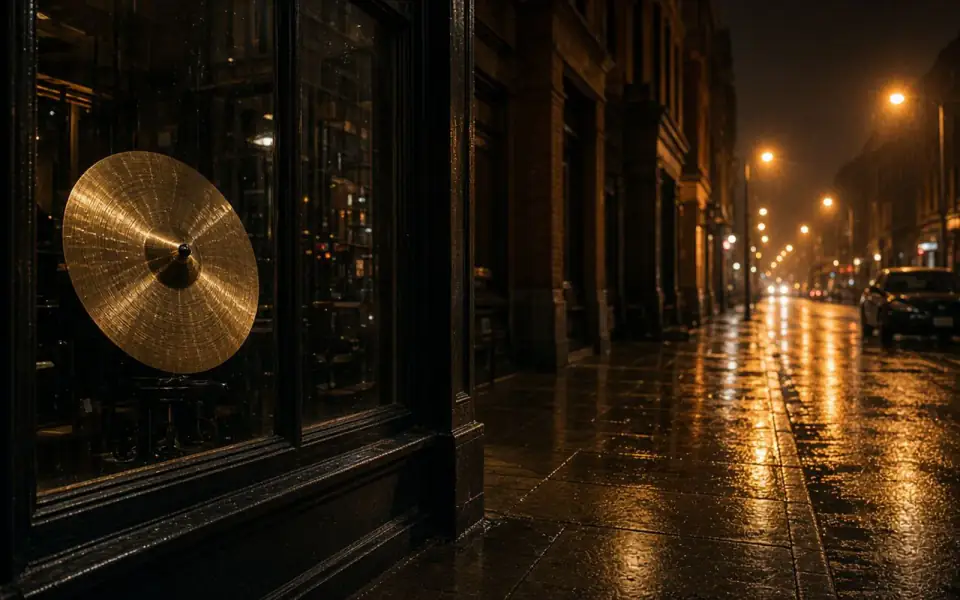
Left: coarse grain over the street. Right: the cleaner photo.
WebP
Find out which WebP you were sent
Browsers and design tools save WebP because it is smaller. A quality slider still exists. If the sky is tiled and the edges ring, you have the lossy kind, and the JPEG page is the better diagnosis even though the extension says webp. If the file is crisp and merely small, it is the lossless kind, or a lossy file that was saved gently, and you are upscaling a real edge rather than a block.
Some phones and converters write a WebP when you asked for a shareable photo. That conversion can also shrink the long edge. The pixel count is the fact that matters. A 900-pixel WebP of a group photo will not become the camera original at any scale factor. 2× makes it 1,800 on that edge before the free download cap, 1,800 sits inside the 3,200 px free download, so this particular file is not trimmed. A result past 3,200 is what the cap trims. Pro and Studio skip that cap.
AVIF is the other modern container we decode, and it has the same split between lossy and lossless. HEIC is not decoded. If a share sheet offered WebP as the way out of HEIC, use that export, and read the HEIC page so you do not expect the server to open the original HEIC later. TIFF is also not decoded.
Run the mode the picture needs
Lossy tiles want a careful denoise or a 2×, not both at once. A clean small WebP wants 2× first. Soft focus wants unblur. Face restore is a paid mode and a likeness check, not a default for every portrait WebP. The guest allowance is three repairs a day, no account, no watermark on the preview.
Batch is how a folder of WebP exports becomes a set. Twelve at a time on Pro, forty on Studio, after one file has survived the slider. Credits do not roll over. The month is not refunded if you cancel. The credit for a job that errors does come back. Disliking a successful WebP does not.
We delete the upload and the result after 24 hours on every plan, including a WebP you meant to come back for. Download the size you earned and keep it with the project. The free size is 3,200 px on the long edge. The paid size is whatever the model wrote, inside the input limits of the plan.
A last look at which WebP you have
Open the file at 100 percent before you trust the extension. Tiles and ringing mean a lossy WebP, and the JPEG page is the better diagnosis even though the bytes say WebP. A clean small WebP is an ordinary upscale. Converters that offer WebP as an escape from HEIC are welcome. The HEIC itself is not. AVIF is decoded. TIFF is not. The container is a gate. The picture is the job.
A CMS that exports every hero as a 900-pixel WebP has already chosen your scale factor. 2× is the test. The free download caps the long edge at 3,200, so an 1,800 px hero stays on the free file. A delivery past 3,200 stays on Pro or Studio. Do not convert a clean PNG to a low-quality WebP on the way in. You would be paying us to undo a step you added.
What to keep beside the slider
Treat the extension as a rumor. Lossy WebP tiles like JPEG. Lossless WebP behaves like PNG. AVIF, which we also decode, has the same split. HEIC does not decode, even when a share sheet offered WebP as the way out. Check the long edge after conversion. A helpful export that also shrinks the picture has thrown away the samples you wanted. 2× is the test for a clean small file. Denoise is the test for a tiled sky. The free download then caps at 3,200, so a hero past that edge is a paid download. Do not convert a clean PNG into a low-quality WebP on the way to the form.
The decision you can defend
Confirm lossy or lossless at 100 percent before you trust the extension. Tiles go to the JPEG diagnosis. A clean small file is an ordinary 2×. AVIF follows the same split and does decode. HEIC does not, even if WebP was the export that escaped it. Check the long edge after that export so a helpful share sheet did not shrink the picture you meant to enlarge. A second conversion at a low quality, between that export and the upload, is the step that puts the blocks back. Skip that conversion and leave the quality slider high.
Three steps on this file
01
Look for tiles
If the WebP is blocky, treat it as a lossy file. If it is clean, treat it as a small photograph.
02
Run one mode
2×, denoise, or unblur. Compare on the slider before a second credit.
03
Save your copy the same day
The tool deletes both files after 24 hours.
Settings that matter here
- The extension is not the diagnosis.
- A WebP export from HEIC is fine. The HEIC itself is not an input.
- Do not convert a clean PNG to a low-quality WebP before uploading.
- 4K and print pages explain the pixel counts the download has to hit.
Where this shows up
A site export
The CMS wrote WebP at a small size. 2× is the test for a hero image that needs to be larger.
A shared album
The share was lossy. Denoise the sky before you decide the memory is worth a print.
Limits and formats
JPEG, PNG, WebP, and AVIF decode on the server. HEIC from a phone needs to be exported to JPEG first. The preview is not watermarked. Guest and Free plan downloads are capped at 3,200 px on the long edge. Pro and Studio download the full file. Nothing on this site is an ad.
Guest
- Price
- $0
- Credits
- 3 / day, no account
- Batch
- 1
- Upload
- 6 MB
- Long edge
- 2,000
- Download
- 3,200 px
Free
- Price
- $0
- Credits
- 3 repairs / day
- Batch
- 1
- Upload
- 8 MB
- Long edge
- 2,560
- Download
- 3,200 px
Pro
- Price
- $12/mo
- Credits
- 120 credits / month
- Batch
- 12
- Upload
- 20 MB
- Long edge
- 4,096
- Download
- Full size
Studio
- Price
- $29/mo
- Credits
- 500 credits / month
- Batch
- 40
- Upload
- 40 MB
- Long edge
- 8,192
- Download
- Full size
| Plan | Price | Credits | Batch | Upload | Long edge | Download |
|---|---|---|---|---|---|---|
| Guest | $0 | 3 / day, no account | 1 | 6 MB | 2,000 | 3,200 px |
| Free | $0 | 3 repairs / day | 1 | 8 MB | 2,560 | 3,200 px |
| Pro | $12/mo | 120 credits / month | 12 | 20 MB | 4,096 | Full size |
| Studio | $29/mo | 500 credits / month | 40 | 40 MB | 8,192 | Full size |
Questions worth asking first
Do you decode WebP?
Yes. JPEG, PNG, WebP, and AVIF. Not HEIC, not TIFF.
Can I try this without an account?
Yes. Guests get 3 credits a day. 2×, denoise, and unblur cost one. Colorize costs two. 4× and face restore start on Pro. 8× is Studio.
Is the preview watermarked?
No. Guest and Free plan downloads are capped at 3,200 px on the long edge. Pro and Studio download the full file.
Are there ads on this page?
Free pages show ads. Pro and Studio are ad-free. The upload card does not contain an ad.
What if the job fails?
The credit is returned. A failed job is not charged. A finished file you dislike does not return the credit or the subscription fee.
How long do you keep the upload?
Uploads and results are deleted 24 hours after the job is created.
Related tools
From the guides
Run it on the file you actually have
Three guest repairs a day, no card. If the slider invents a detail you cannot defend, do not download it. Paid plans cancel anytime and are not refunded. A failed job is not charged. The file is deleted after 24 hours.