Restore a Faded Photo Without Painting Over the Paper
Fade is a loss of dye or a stain of the paper. It is not a missing resolution, and enlarging it first only prints the loss larger.
- No signup for the first three
- Deleted after 24 hours
JPEG, PNG, WebP, or AVIF. No account for the first three repairs.
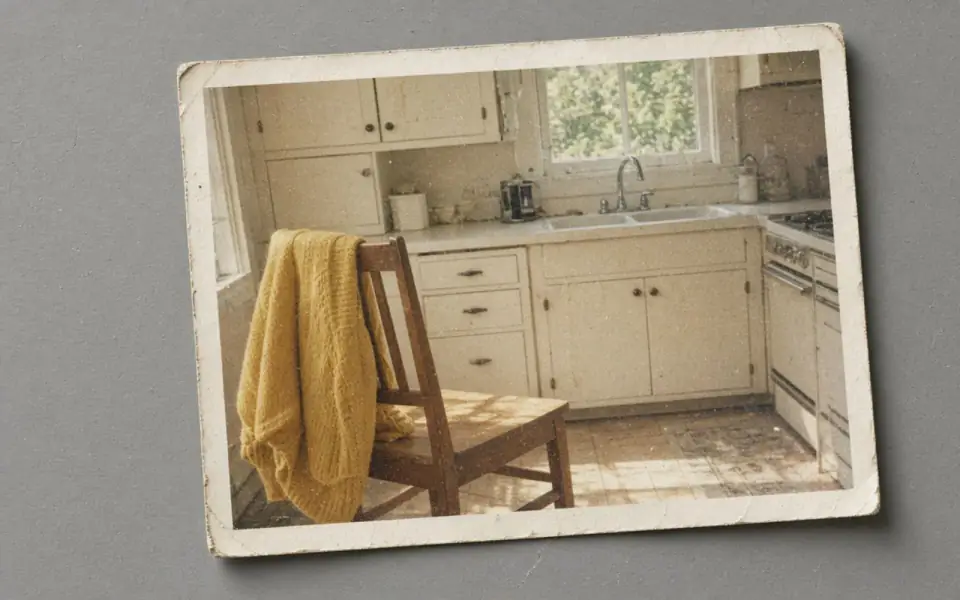
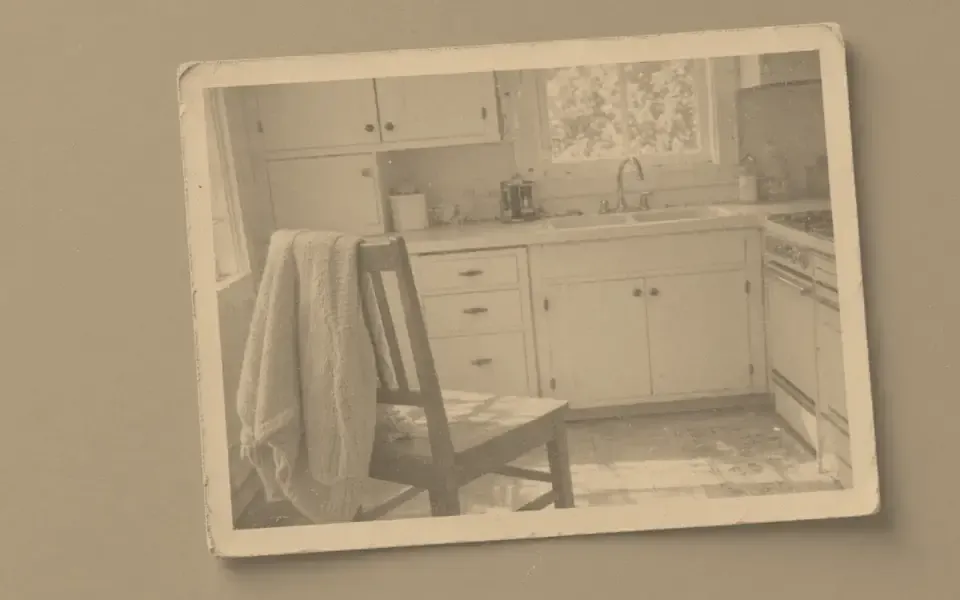
Left: the faded black-and-white photo. Right: the clearer scan.
Faded photo
Separate the paper from the picture
A color print from the 1970s often goes magenta in the shadows and yellow in the borders. That is dye failure. A black-and-white print that has gone brown is often the paper and the fixer, not a missing palette. Colorize on a yellowed color print paints the stain. Correct the cast in the scan software, or decide the cast is the object, before you spend two credits on a hue.
This tool does not publish curves, a white balance slider, or a fade amount. The modes are denoise, unblur, upscale, face restore, and colorize. If the only problem is a gentle cast and you still have a scanner, fix it there and do not upload. If the cast is the photograph you want to keep, leave it and do not ask a model to ‘restore’ it into a modern print.
Dust sits on top of the fade and becomes part of the color if you paint first. Denoise the speckle, look at a border and a face, and only then consider colorize for a file that is actually black and white. A hand-tinted portrait already has color in the cheeks. Denoising that tint off is damage. The old-photo page and the scanned-photo page are the companions when the defect is a scratch or a dirty glass, not a lost dye.
What still has to be true after the color
Colorize costs two credits and is on the free tool, so one colorize fits in a guest day of three credits and a second does not. The dyes are a guess. A dress that might have been blue or gray will be one of those, confidently. Keep the monochrome download beside the color one. The scan is the record. The color file is a derivative you can reject.
Production calls the Replicate model named by REPLICATE_MODEL_COLORIZE, defaulting to piddnad/ddcolor. With the mock provider the tool draws a split-tone placeholder and says so. Do not deliver the placeholder as a neural colorization. A token is what switches the job to the hosted model. Either way the slider stays, because a plausible palette is not a memory.
Faces in faded prints are the case for restraint. Face restore can sand off the grain of a 1950s snapshot and put a contemporary mouth on a person who did not have one. If the eyes get rounder, stop. Unblur or a modest 2× is the guest test. 8× is Studio and it invents the most. The shoebox is not a batch until three frames have survived that check.
Keep the print, not our copy of it
Uploads and results are deleted after 24 hours on every plan. A reunion next month will not find the file here. Download the tonal version and, if you accept it, the color version, the same day. Free pages show ads. Commercial use is allowed when you have the rights, including on Free plan. A failed job returns the credit. The fee for Pro or Studio is not refunded, and you can cancel anytime.
The free download of 3,200 px covers a 300 ppi 4×6 and 8×10. A larger sheet is Pro or Studio, which also batch. Do not enlarge a faded file to poster size until the cast and the dust are decisions you can defend. A big pale file is still pale.
HEIC and TIFF are not decoded. Export the scan as JPEG, PNG, WebP, or AVIF. A color negative needs an inversion in the scanner tool first. We do not invert negatives. The API accepts the same formats and the same colorize mode, and it deletes on the same clock.
A worked frame
A 1978 color print is magenta in the shadows and yellow in the border, and the scan is 2000 px on the long edge. The border tells you the paper and the dyes failed together. Correcting that cast belongs in the scan software if you still have the print on the glass. Uploading it so colorize can ‘restore’ the dress will paint the magenta and call it a fabric. If the print is instead a brown black-and-white portrait with clean paper and no tint, denoise the dust for one credit, reject any result that heals a scratch across the coat, and only then colorize for two credits. Keep the brown file. The guess is not a record of the dress. One guest day holds the denoise or the colorize, not a stack of both plus an enlarge, because three credits do not cover one plus two plus another one. Plan the order the day before if the reunion is the deadline. Download before the 24-hour sweep. The shoebox on the shelf is the copy that still exists next month.
Three steps on this file
01
Name the fade
Dye failure, paper, or a cast you want to keep. Do not colorize the paper.
02
Denoise dust, then look
One credit. A stain that crosses the coat may be the object. Leave it.
03
Colorize only a true black-and-white file
Two credits. Keep the monochrome download. Reject a dye you cannot defend.
Settings that matter here
- Borders tell you the paper. Faces tell you the dye.
- Do not face-restore a 1940s snapshot on the first try.
- Sepia is already a tint. Colorize is for a file with no hue.
- Rescan before you buy a batch of forty.
Where this shows up
A shoebox of drugstore prints
Test three. If the cast is the only issue, fix it in the scan software and skip the model.
A black-and-white portrait the family wants in color
Clean it, colorize once, and keep both files. The guess is not a record.
Limits and formats
JPEG, PNG, WebP, and AVIF decode on the server. HEIC from a phone needs to be exported to JPEG first. The preview is not watermarked. Guest and Free plan downloads are capped at 3,200 px on the long edge. Pro and Studio download the full file. Nothing on this site is an ad.
Guest
- Price
- $0
- Credits
- 3 / day, no account
- Batch
- 1
- Upload
- 6 MB
- Long edge
- 2,000
- Download
- 3,200 px
Free
- Price
- $0
- Credits
- 3 repairs / day
- Batch
- 1
- Upload
- 8 MB
- Long edge
- 2,560
- Download
- 3,200 px
Pro
- Price
- $12/mo
- Credits
- 120 credits / month
- Batch
- 12
- Upload
- 20 MB
- Long edge
- 4,096
- Download
- Full size
Studio
- Price
- $29/mo
- Credits
- 500 credits / month
- Batch
- 40
- Upload
- 40 MB
- Long edge
- 8,192
- Download
- Full size
| Plan | Price | Credits | Batch | Upload | Long edge | Download |
|---|---|---|---|---|---|---|
| Guest | $0 | 3 / day, no account | 1 | 6 MB | 2,000 | 3,200 px |
| Free | $0 | 3 repairs / day | 1 | 8 MB | 2,560 | 3,200 px |
| Pro | $12/mo | 120 credits / month | 12 | 20 MB | 4,096 | Full size |
| Studio | $29/mo | 500 credits / month | 40 | 40 MB | 8,192 | Full size |
Questions worth asking first
Can I try this without an account?
Yes. Guests get 3 credits a day. 2×, denoise, and unblur cost one. Colorize costs two. 4× and face restore start on Pro. 8× is Studio.
Will colorize recover the original dyes?
No. It paints a plausible palette. The scan you keep is the evidence.
Is the preview watermarked?
No. Guest and Free plan downloads are capped at 3,200 px on the long edge. Pro and Studio download the full file.
What if the job fails?
The credit is returned. A failed job is not charged. A finished file you dislike does not return the credit or the subscription fee.
How long do you keep the upload?
Uploads and results are deleted 24 hours after the job is created.
Can I use the result commercially?
Yes, on every plan, including the free tool, when you have the rights to process the file.
Related tools
From the guides
Run it on the file you actually have
Three guest repairs a day, no card. If the slider invents a detail you cannot defend, do not download it. Paid plans cancel anytime and are not refunded. A failed job is not charged. The file is deleted after 24 hours.