Restore a Damaged Photo Without Inventing the Missing Piece
Dust sits on the picture. A tear is the picture, interrupted. A model that heals a tear is writing a piece of paper that is gone.
- No signup for the first three
- Deleted after 24 hours
JPEG, PNG, WebP, or AVIF. No account for the first three repairs.
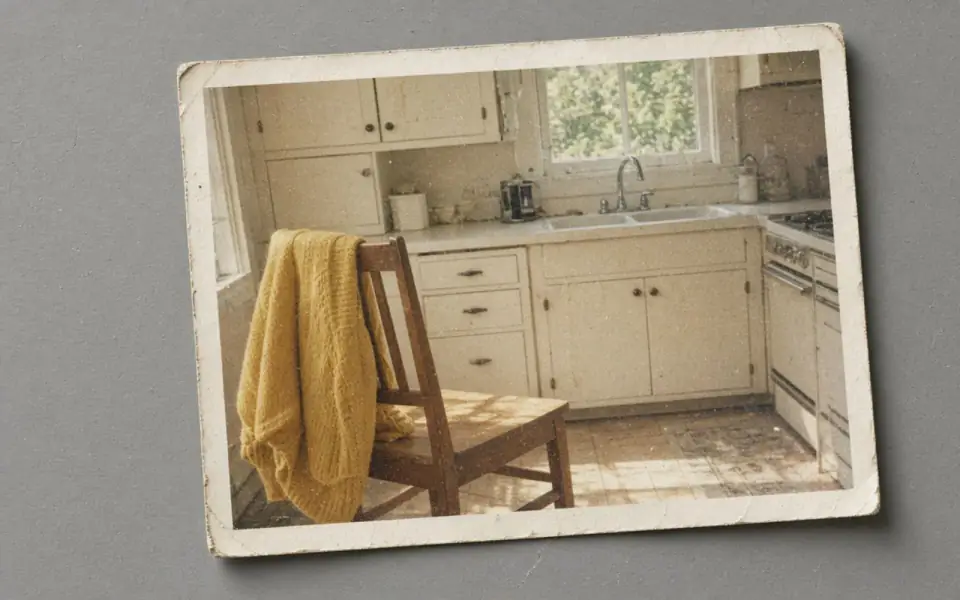
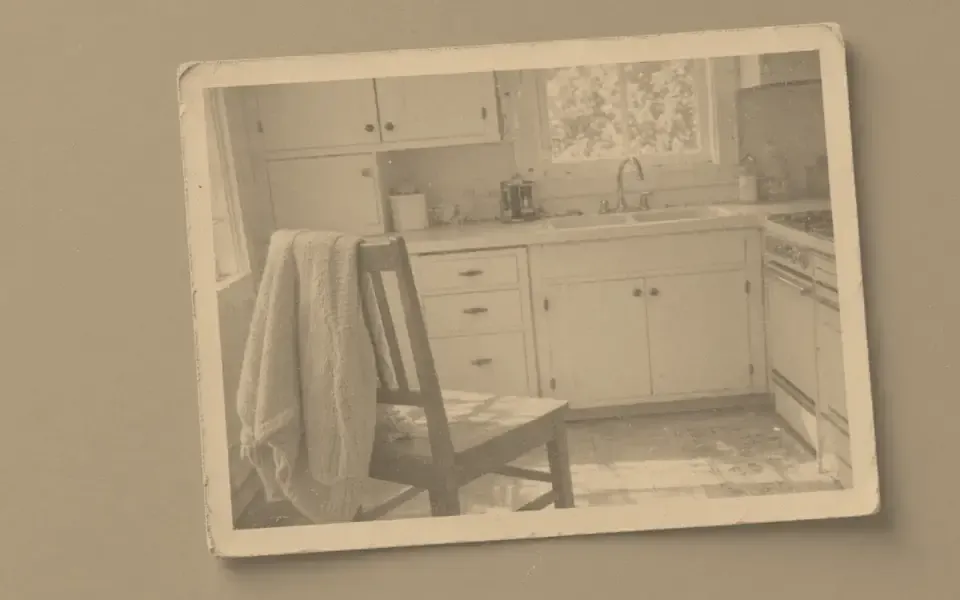
Left: the faded black-and-white photo. Right: the clearer scan.
Damaged photo
Dust, crease, tear, hole
Dust and scanner speckle can take denoise. They are on top of the emulsion, or they are the scanner. A crease that catches light is a shape in the object. Softening it a little may be fair. Deleting it pretends the print was stored flat. A tear that crosses a coat removes samples. We do not inpaint. There is no brush and no ‘remove object’ mode. If the tear is the reason you came, this tool will disappoint you honestly, and a person with a clone tool and a conscience is the alternative.
A hole where a face was is not a face-restore job. Face restore rebuilds features from a mushy face that is still there. It should not be asked to invent a head from a gap. If you have another photograph of the person, that photograph is the reference for your own repair, not a prompt we accept. We do not take a second image as a guide.
Water stains and mold are discoloration plus physical loss. Colorize will paint the stain and make it look intentional. Denoise will not remove mold. Photograph the damage for the record if it matters, and do not describe a colorized stain as a restoration. The faded-photo page is for dye that failed without a hole. This page is for the paper that broke.
The sequence that is still worth running
Scan at optical resolution, with the glass clean, as the scanned-photo page describes. Export JPEG, PNG, WebP, or AVIF. Denoise the dust. Look at the tear and decide it stays. Unblur only if the scan is soft. Enlarge only if the print you want is short of pixels. Colorize a black-and-white original last, two credits, dyes that are a guess, and never across a hole you hope will become a cheek.
Three guest credits are enough to know whether the dust lifts. They are not enough to batch a flooded shoebox, and they should not be. Pro batches 12 and Studio 40 after the test, not before. A set that fails on the torn frame will fail in a way that spends the month. Failures return the credit. Successes you regret do not. The fee is not refunded.
Commercial use is allowed when you have the rights, including on the free tool. An archive you are delivering to a client still has to label a reconstruction as a reconstruction. Our terms do not make a filled tear true. We also do not keep the scan. Twenty-four hours, then the objects are deleted. The print in the box is the archive.
What ‘good’ looks like
The dust is quieter. The tear is still visible. The face, if it was intact, still belongs to the person. The color, if you added it, can be turned off by looking at the monochrome download you also kept. If any of those failed, the damaged original is the better object. A clean fiction is not a restoration.
The free download of 3,200 px covers a small print at 300 ppi. A large exhibition print of a damaged original is a paid download and a curatorial decision, not a default 8×. 8× invents the most paper texture, which is exactly the texture a damage repair is tempted to fake.
The API can denoise a batch of scans under the plan limits. It still will not inpaint. The docs say the modes by name. Colorize is one of them. A hole-fill is not.
A worked frame
A cracked studio portrait scans at 2400 px. Dust is in the sky of the backdrop. A tear crosses the shoulder but misses the face. Denoise once. The dust should quiet. The tear should still be visible. If the tear closes, the model wrote paper that is gone and you keep the scan. Do not face-restore a face that was intact, and do not ask it to fill anything if a second print had a hole instead of a tear. There is no reference-image input. Colorize, if the portrait is black and white, happens after you have accepted the torn monochrome file, costs two credits, and must not be the thing that hides the tear under a dye. 2400 px fits in the free download and is enough for a small frame. An exhibition print is a paid download of a file that still shows the damage, which is the honest exhibition. We do not inpaint. A clone tool in an editor, used by a person who will label the reconstruction, is the other path. Our path ends at 24 hours.
Three steps on this file
01
Rescan before you repair
Dust the glass. Optical resolution. Export a format we decode.
02
Denoise dust and leave the tear
If the tear disappears, the model wrote fiction. Keep the scan.
03
Colorize only intact black-and-white paper
Two credits. Do not paint across a hole.
Settings that matter here
- We do not inpaint and we do not take a reference face.
- Mold is not grain.
- A crease may be the object. A speck on the glass is not.
- Keep the damaged scan. We will not.
Where this shows up
A cracked studio portrait
The crack stays. The dust can go. The person has to match another picture if you touch the face at all.
A flood-stained pile
Test three. Most of the pile wants a better scan, not a model.
Limits and formats
JPEG, PNG, WebP, and AVIF decode on the server. HEIC from a phone needs to be exported to JPEG first. The preview is not watermarked. Guest and Free plan downloads are capped at 3,200 px on the long edge. Pro and Studio download the full file. Nothing on this site is an ad.
Guest
- Price
- $0
- Credits
- 3 / day, no account
- Batch
- 1
- Upload
- 6 MB
- Long edge
- 2,000
- Download
- 3,200 px
Free
- Price
- $0
- Credits
- 3 repairs / day
- Batch
- 1
- Upload
- 8 MB
- Long edge
- 2,560
- Download
- 3,200 px
Pro
- Price
- $12/mo
- Credits
- 120 credits / month
- Batch
- 12
- Upload
- 20 MB
- Long edge
- 4,096
- Download
- Full size
Studio
- Price
- $29/mo
- Credits
- 500 credits / month
- Batch
- 40
- Upload
- 40 MB
- Long edge
- 8,192
- Download
- Full size
| Plan | Price | Credits | Batch | Upload | Long edge | Download |
|---|---|---|---|---|---|---|
| Guest | $0 | 3 / day, no account | 1 | 6 MB | 2,000 | 3,200 px |
| Free | $0 | 3 repairs / day | 1 | 8 MB | 2,560 | 3,200 px |
| Pro | $12/mo | 120 credits / month | 12 | 20 MB | 4,096 | Full size |
| Studio | $29/mo | 500 credits / month | 40 | 40 MB | 8,192 | Full size |
Questions worth asking first
Can I try this without an account?
Yes. Guests get 3 credits a day. 2×, denoise, and unblur cost one. Colorize costs two. 4× and face restore start on Pro. 8× is Studio.
Can you fill in a torn face?
No. There is no inpaint mode. Face restore needs a face that is still in the frame.
Is the preview watermarked?
No. Guest and Free plan downloads are capped at 3,200 px on the long edge. Pro and Studio download the full file.
What if the job fails?
The credit is returned. A failed job is not charged. A finished file you dislike does not return the credit or the subscription fee.
How long do you keep the upload?
Uploads and results are deleted 24 hours after the job is created.
Can I use the result commercially?
Yes, on every plan, including the free tool, when you have the rights to process the file.
Related tools
From the guides
Run it on the file you actually have
Three guest repairs a day, no card. If the slider invents a detail you cannot defend, do not download it. Paid plans cancel anytime and are not refunded. A failed job is not charged. The file is deleted after 24 hours.