Repair · July 6, 2026
How to restore blurry old photos on phone without the waxy export
How to restore blurry old photos on phone after a gallery Enhance button turned a 1970s slide waxy.

A phone export that went waxy already spent the detail. Fix the blurry phone photo from the camera original if you still have it.
My brother sent a screenshot of his phone and the question, typed in a hurry: how to restore blurry old photos on phone. The picture on the screen was his seventh birthday, a slide from 1974, cake on a table, and the face looked like a bar of soap. He was sure the slide had rotted. I asked what he had tapped before the export. He had tapped Enhance. The soap face is the button. The slide is in a sleeve on my desk, and the scan I made last winter does not look like soap.
The scan is a TIFF, 4800 by 3200 pixels, about 46 MB, from a slide scanner at its optical setting. The phone never held that file. The gallery held a preview, 1612 by 1074, a bit over 1 MB, which is what the phone built so it could show a grid of old scans without storing tens of megabytes each. Enhance ran on that preview, or on something no larger, and wrote a new JPEG at 4032 by 3024, 3.1 MB. Those dimensions are a phone camera's dimensions, not the slide's. The button upscaled a small preview and smoothed what it upscaled. Then he judged the slide by the smoothed upscale.
I want that sequence said early, because the search phrase makes the phone sound like the workshop. The phone is a viewer that offered to help and helped itself to the detail. How to restore blurry old photos on phone, for this birthday, means refusing the export and going back to the 46 MB TIFF, then deciding what mild softness actually belongs to 1974.
TL;DR. The gallery Enhance button exported a 4032 by 3024 JPEG that looks waxy, from a 1612 by 1074 preview of a 1974 slide. The scanner TIFF is 4800 by 3200 and about 46 MB, and it still shows cheek texture and seven separate candle flames. The enhanced file has merged flames, I count five blobs, and a plastic patch on the cheek. I do not unblur the waxy JPEG. I copy the TIFF to the computer, skip the gallery button, and if I deblur at all I do it mildly on the scan. The preview was the blur he was looking at.
What each file actually contains
I lined the three files up at the same zoom on the cake, which is the honest chart. In the TIFF I can count seven candles, each with a wick and a flame that leans a little differently. The blue frosting has a knife ridge. His cheek, age seven, has the texture of a real print from a slide: fine grain, a tiny scratch in the emulsion about 8 pixels long in the 4800-wide file, and a shadow under the chin that is a real shadow. The slide is slightly soft. Edges on the cake lettering are a ramp of about 3 pixels, not 1. That is a 1974 focus and a scanner that did not invent sharpness. It is not soap.
The preview at 1612 by 1074 is the TIFF scaled down and saved for the phone. Scaling down should look acceptable on a phone screen, and it does, until you pinch. Pinching a 1612 pixel file to "see the scratch" shows mush, because the scratch was 8 pixels in a 4800 file and did not survive the shrink as a scratch. He pinched, decided the scan was blurry, and tapped the button the gallery offered next to the pinch. The button agreed with him. That is the trap.
The export at 4032 by 3024 is larger than the preview and smaller than the TIFF, and it matches neither. The cheek scratch is gone. In its place is a smooth area I measured as a patch about 200 pixels across in the export, with no grain and a slow gradient, like skin in a drawing. Two pairs of candle flames have merged. I count five bright blobs, and the wicks are suggestions. The knife ridge in the frosting is a soft wave. The file is 3.1 MB because smooth gradients compress differently than slide grain, not because it holds more birthday. A big smooth JPEG can be emptier than a smaller grainy one. This one is emptier than the TIFF by a mile and larger on disk than the preview, which fools people who sort by file size.
Why the phone preview cannot be the master
Phones store previews because 46 MB times a box of slides will fill a device. I understand the engineering. I do not accept the preview as the photograph. The photograph is the TIFF next to the scanner, or a JPEG exported from that TIFF at full pixel count if I must mail one. The preview is a catalog card. Enhancing a catalog card and printing it is how a seventh birthday turns into a doll.
He had also turned on a setting that "improves" photos when they are shared. The share sheet made a second waxy file, slightly different dimensions, 3024 on the long side, also smooth. Two bad exports, one button and one share setting. I had him turn the share improvement off and then I did not use either export. Settings first, so the next AirDrop does not repeat the soap. Then the file path: I copied the TIFF from the drive, not from the phone, onto the machine where I work. The phone can receive a finished JPEG later, at a size it can show, after the repair. It does not get to author the repair.
AirDrop of the TIFF failed, as I expected. Some phones will not take a 46 MB TIFF, or they convert it on the way in. Conversion on the way in is another chance for a preview to win. I used a drive. It is slower to explain and it is the path that leaves the pixels alone. If you are searching how to restore blurry old photos on phone because the phone is the only computer you have, the practical version is: do not tap Enhance, and get the original scan onto a machine that will open a TIFF. A library computer is enough. The slider is not the scarce resource. The unmolested file is.
What I am willing to do to the real softness
The cake lettering's 3 pixel ramp is real. A mild pass on the blurry photo tool, on the TIFF, tightens the lettering to a ramp of about 2 pixels and leaves the scratch on the cheek. I can see the scratch before and after, still about 8 pixels, still in the same place. That is my stop. If the scratch heals, the pass is a beautifier and not a restoration. He is in his fifties. He can live with an 8 pixel scratch from 1974. He could not live with the soap face, once he saw the TIFF beside it.
I also tried the unblur pass a step stronger, on a copy. The lettering got thinner than the frosting can support. I still have the cake top in a box of family paper, and the piped letters are not hairlines. The strong pass made them hairlines and started to draw a highlight in each eye that is rounder than the slide. I rejected that copy. Mild is the version in the print file. Strong is named rejected. The difference between them is not a matter of taste I am pretending to be above. It is a letter stroke I can compare to icing.
The waxy export, run through the same mild pass, did not return the scratch and did not split the candles. It added a faint crunch to the plastic cheek, which looks like pores from a different person. I stopped that experiment after one look. You cannot un-smooth a file that has had the grain replaced by a gradient. The information is not hiding under the soap. It is in the other file.
Color is a smaller issue and I did not let it lead. The slide is slightly blue, typical of the film and of a window in the afternoon. The enhanced export "corrected" toward a warmer skin and pushed the blue frosting toward purple. The TIFF's blue matches a notation on the slide box, written by my mother, that the frosting was blue. I believe the box. I left the cast. A later grade can warm the whole frame a few points if a print looks cold, and it can do that without smoothing a cheek. Color and texture are separate knobs. The phone's button turned both at once and hid the knobs.
Candles as a count, not as a mood
Seven flames in, five blobs out. I use a count because counts survive an argument about whether a face "looks better." Better is how the soap file got made. Seven is a fact from 1974, and the TIFF still has it. Any future pass that drops the count gets thrown out, including passes I make myself when I am tired and the screen is dim.
A table of the birthday files
I put this in the shared folder so the waxy JPEG is never again the one with the friendly name.
| File | Pixels | Size on disk | Candles | Cheek |
|---|---|---|---|---|
| Scanner TIFF | 4800 by 3200 | about 46 MB | 7 flames, wicks visible | Grain and an 8 pixel scratch |
| Phone preview | 1612 by 1074 | about 1.1 MB | Flames soften together | Scratch gone, just soft |
| Enhance export | 4032 by 3024 | 3.1 MB | 5 blobs | Plastic patch about 200 pixels |
| Share-sheet export | 3024 on the long side | about 2 MB | 5 blobs | Plastic, slightly different crop |
| Mild pass on TIFF | 4800 by 3200 | TIFF | 7 flames | Scratch still there |
| Strong pass on TIFF | copy | TIFF | 7, but lettering too thin | Scratch fading, rejected |
| Mild pass on the waxy JPEG | 4032 by 3024 | JPEG | Still 5 | Crunchy plastic, rejected |
The preview row is the one to show someone who says the phone "has the photo." It has a small version. The export row is the one to show someone who says the phone "improved the photo." It improved the file size story and damaged the birthday. The mild TIFF row is the print.
What I do before a phone is allowed near a slide scan
The list is on the scanner computer, because that is the last moment the TIFF is the obvious master.
- Copy the TIFF to a drive and to a backup before any phone sees a derivative.
- Export a full-size JPEG only if a phone must have one, and name it full, not edit.
- Turn off gallery Enhance and any share-time improvement before the import.
- If the gallery builds a preview, do not judge sharpness by pinching the preview.
- Count a repeating detail, such as candles or buttons, in the TIFF first.
- If you deblur, do it on the TIFF, mildly, and check that the counted detail survives.
- Do not run a deblur on an already smoothed export and hope the detail returns.
- Put the print file back on the phone only after the count still matches.
He printed the list and taped it inside the slide box. The next roll, a picnic from the same year, came to me as TIFFs with no companion soap JPEG. That is the result I wanted more than a clever pass on the cake. The cake pass is mild because the scan is mild. The workflow is the restoration.
A blurred drawing, so we can talk about softness without the cake
I am not putting a childhood birthday on a public page. When I need to point at even softness, I use a generated drawing that has been blurred on purpose: a round head, a teal rectangle, a teal panel with a yellow circle, a dark rectangle, three tan bars, a small green shape on a brown floor. Every edge is a ramp. Nothing in it is a photograph of a person, and the smile is two dots and a curve.
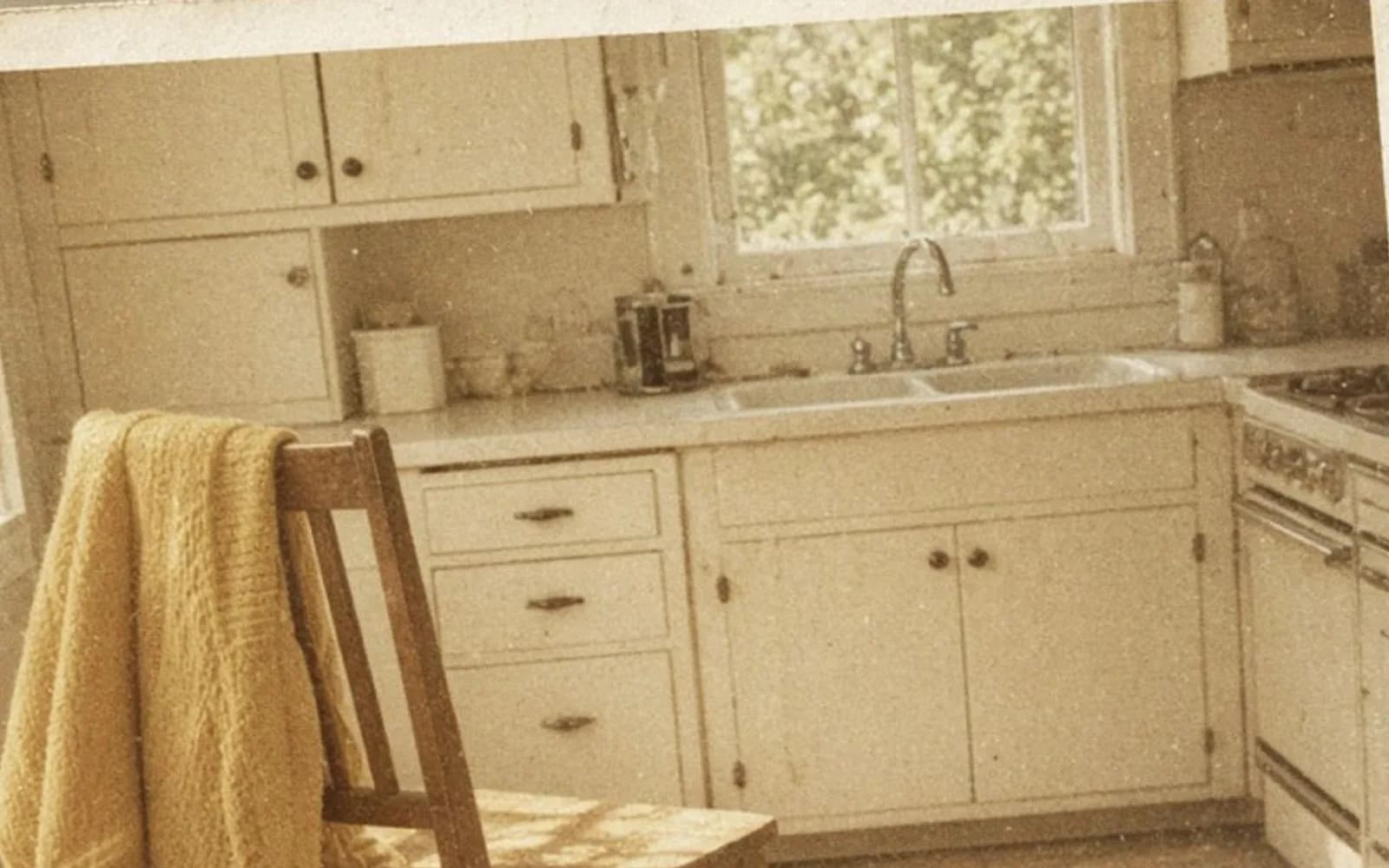
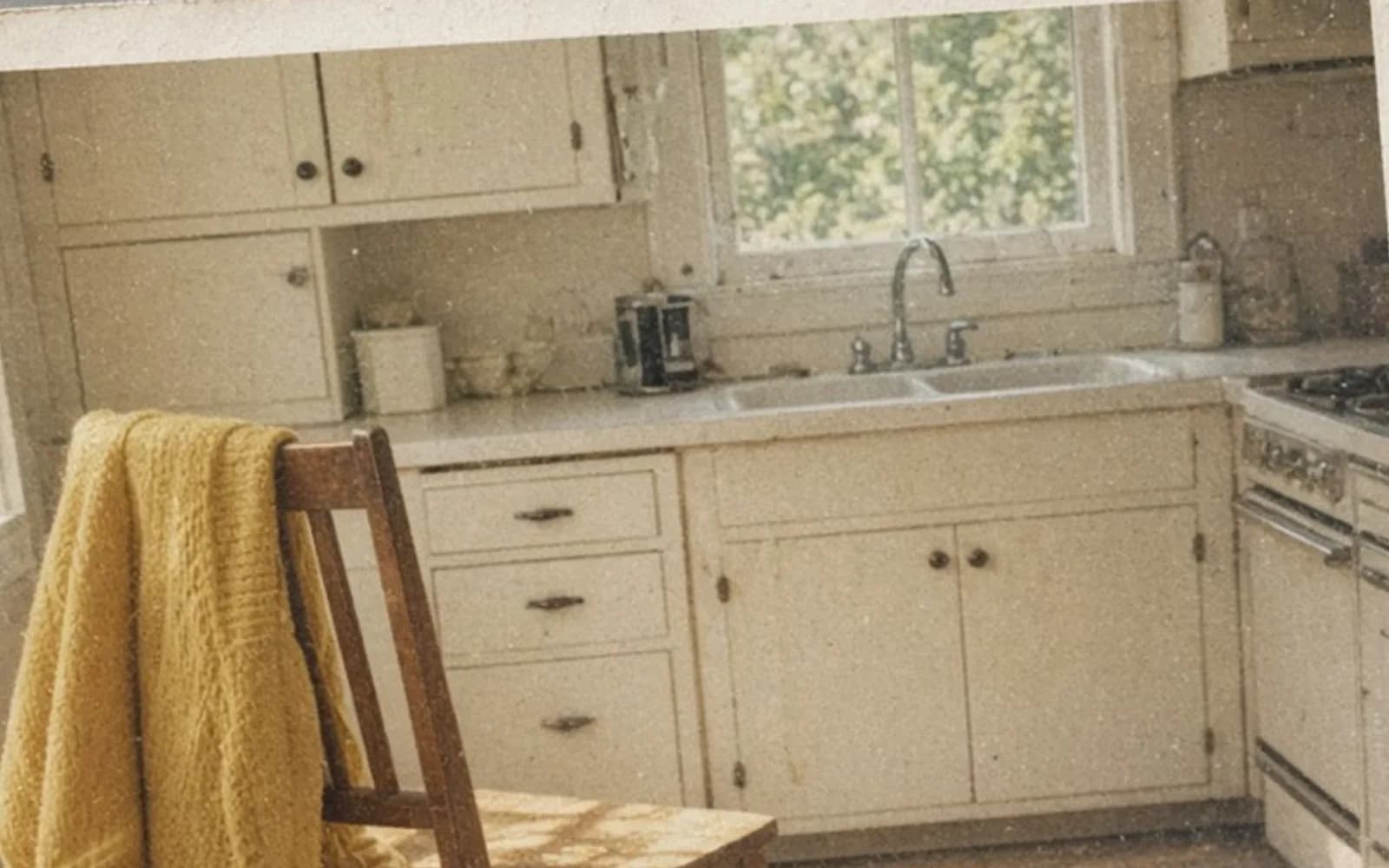
The drawing's blur is uniform. The slide's softness is mostly uniform too, a gentle miss, not a streak and not a gallery's plastic skin. I show the drawing so he can see "soft edge" as a simple idea, then I show the TIFF cake lettering, which is a short ramp, and the export, which is not a ramp at all on the cheek. The cheek has no edge problem. It has had its texture replaced. The drawing cannot demonstrate that replacement, because it never had pores. I say that out loud. A prop that shows blur is not a prop that shows over-smoothing. We need both ideas, and only one of them is a picture I am willing to hang in a public note.
If I enhance the blurred drawing the way the phone enhanced the preview, the yellow circle may come back rounder and the whole frame may look cleaner than the blur. That would be a fair demo on flat colors. It is a bad prediction for a cheek. Flat colors want to be flat. A face in a slide wants its grain. I do not let a successful demo on the drawing talk me into the soap file.
Print size, and the blue frosting
The print he wanted is 6 by 4 inches for an album page next to a modern snapshot. At 300 pixels per inch, 6 by 4 wants 1800 by 1200. The TIFF has 4800 by 3200. I scale down. Scaling down from the mild pass keeps the scratch as a tiny mark and the seven flames as seven flames. Scaling down from the waxy export would print the soap at a convenient size. Convenient is not the goal.
I made both proofs on the same paper. The TIFF proof looks like a slide from 1974, a bit soft, a bit blue, cake ridged, face like a child who has been photographed. The export proof looks like a filter. He picked the TIFF in about five seconds and asked why the phone had been so sure. I told him the phone was sure about the preview, and the preview was not the scan. He was annoyed at the button and relieved about the slide. The relief is the point. The slide had not rotted. A 1612 pixel preview had been asked to become a face.
The album page can take a slightly warm print if the blue bothers the facing page. I would do that with a curve on the TIFF, after the mild pass, and I would look at the frosting against the note in the box. I would not do it with the gallery's automatic color, which already dragged the frosting toward purple in the export. Purple frosting is how I know a "fix" has stopped looking at the object.
Names, so the soap file cannot become the default
birthday-1974-scan.tif is the master. birthday-1974-preview-from-phone.jpg is the 1612 file, kept so we can see what he pinched. birthday-1974-enhance-waxy.jpg and birthday-1974-share-waxy.jpg are the failures, and the word waxy is in the name because "final" and "edit" and "improved" have already lied to this family once. birthday-1974-mild.tif is the print source. birthday-1974-6x4.jpg is the album file. A text file records the candle count, the scratch, and the decision not to heal it.
The waxy files stay in the folder on purpose. If I delete them, the next person re-creates them and thinks they have discovered a tool. If I keep them, named as failures, the next person can flip a comparison and put the phone down. Disk space for 3 MB of warning is cheap next to a reprinted childhood.
He has the 6 by 4 in the album. The phone has the album JPEG, imported with Enhance off, and it looks like the proof because it is the proof. Pinching it still has a limit, and the limit is an honest downsample of a real scan, not a plastic upscale of a preview. I told him that if the pinch looks soft, the TIFF exists, and the TIFF is the place to look. The phone is allowed to display. It is not allowed to author.
The other softness people mix in
Some slides really are badly out of focus, and a TIFF will not save them. I have a slide from the same box, a living room, where the focus landed on a lamp and the people are a ramp of 15 pixels or more. Enhance would make that one worse too, and the TIFF does not contain a secret sharp face. For that slide I will scan, show the ramp, and print small, or I will try a mild pass and stop when hair becomes a new hairstyle. I will not promise seven of anything. The birthday is the lucky slide that was only a little soft and then got a false disaster layered on top.
Motion is a different file again. This cake does not streak. The flames lean because fire leans, and they lean in the TIFF in the same directions as a second, darker exposure on the next frame. I am not deblurring a running subject. I am refusing a gallery filter and gently tightening a 3 pixel ramp to about 2. The running-dog problem is not this problem, and I do not want one article to swallow the other. If the candles had been three positions of one candle, I would have stopped and talked about motion. They are seven candles.
Notes that belong next to this one
How to enhance old photos is the tone and fade work, which this blue slide may still want in a small way, after the texture is safe. How to restore old pictures is the physical print and the crease, a different object than a slide file passing through a phone. Can AI unblur an image is the honest limit of the pass I used mildly and refused strongly. Read that before you run a waxy export through a second model. Two models in a row were worse here, not better.
How to restore blurry old photos on phone starts by asking whether the phone holds the scan or a preview. In this family it held a preview, a button, and a 3.1 MB smooth JPEG at 4032 by 3024. The birthday still lives in a 46 MB TIFF with seven flames and an 8 pixel scratch. I printed that. The button can stay on the glass, untapped, while the album does the remembering.
Questions that come up after the file is open
Should I tap Enhance before I copy the scan to a computer?
No. On this slide the button worked from a small preview and exported a waxy JPEG at phone-camera size. I restore the TIFF from the scanner, which still has cheek texture and seven separate candle flames.
The preview looks blurry. Is the slide blurry?
The preview is 1612 by 1074 and it is soft. The TIFF is 4800 by 3200 and it is only mildly soft, the way a 1974 slide often is. Judge blur on the scan, at 100 percent, not on the phone's shrunk copy.
Can I unblur the waxy export instead?
I tried on a copy. The pass sharpened plastic skin and did not split the merged candles back into seven flames, because the export has already thrown away the detail. Start over from the TIFF.
What if the only copy is already in the phone gallery?
Then the damage is done and I will say so. I can try a mild pass and I will not promise flames or skin. If the scanner can read the slide again, that hour is worth more than any slider.