Resolution · July 22, 2026
How to fix resolution of a photo a lab rejected
How to fix resolution of a photo after a lab rejects 72 ppi. The arithmetic of a metadata problem versus a detail problem.
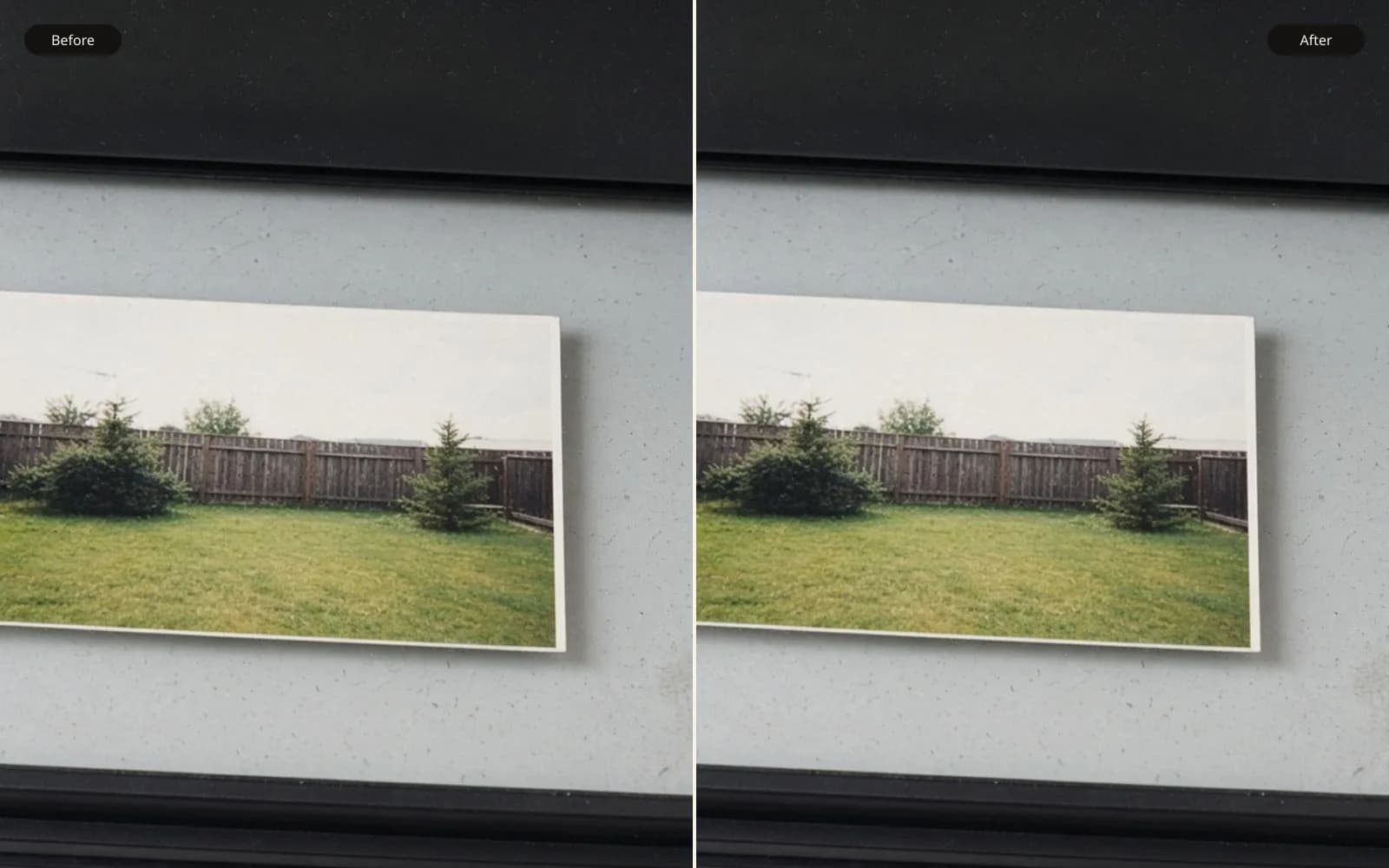
A lab rejection is a pixel count, not a mood. Fix the resolution of the photo against the size they asked to print.
The lab email was three lines, and the middle line was the whole job: how to fix resolution of a photo they had rejected as 72 ppi. The order was an 8 by 10. The file attached to the order was portrait-final.jpg, 576 by 720 pixels, 140 kilobytes. I divided 576 by 8 and got 72. I divided 720 by 10 and got 72. The lab was not estimating. They were doing the only arithmetic that matters, pixels divided by ordered inches, and the answer was exactly the number everyone has been taught to fear.
The fear is pointed at the wrong layer often enough that I now split these rejections into two piles before I touch a slider. In one pile the file does not contain enough pixels for the page, and the tag is telling the truth. In the other pile the file contains the pixels, and a tag, or a portal that only reads the tag, is telling a story about 72 that the pixel grid does not support. The fix is different. I mixed them up on this order and I did both fixes wrong once each, which is why the arithmetic is written out below instead of implied.
TL;DR. A 576 by 720 file printed at 8 by 10 is 72 ppi, and that rejection is a detail problem. Setting the tag to 300 without adding pixels shrinks the "document size" to about 1.9 by 2.4 inches and does not feed the page. A different file, 2400 by 3000 and also tagged 72, is 300 ppi at 8 by 10 already, and the portal rejected it for the tag. That one is metadata. I retag the large file and I do not pretend a 4× resample makes the small file a sharp portrait. Print size follows pixels, or the pixels get invented and the face goes with them.
Two files, one sentence from the lab
The client had uploaded the small JPEG. Later, after the rejection, they found a TIFF on a backup drive, 2400 by 3000, tagged 72 ppi, same sitting, same crop. They assumed the TIFF was "also 72" and therefore also useless. The portal agreed with them when they tried it. The portal's rule, which I got from the lab's spec sheet rather than from the error string, was: reject if the embedded ppi is under 300. The spec sheet's other sentence, which the portal does not enforce, was: 300 ppi at the ordered size. Those two sentences are not the same test.
On the TIFF, 2400 divided by 8 is 300, and 3000 divided by 10 is 300. The pixels already satisfy an 8 by 10 at 300 ppi. The tag says 72 because a camera, or an editor, wrote a default and nobody resampled. The document size implied by the tag is 2400 divided by 72, which is 33.3 inches, by 3000 divided by 72, which is 41.7 inches. No one was ordering a 33-inch portrait. The tag was a leftover. The portal read the leftover and did not do the division.
On the JPEG, the tag also said 72, and for once the tag matched the page. 576 by 720 cannot cover 8 by 10 at 300 ppi. It cannot cover it at 150 ppi either. 150 times 8 is 1200, and we have 576. The JPEG is a detail problem wearing the same number as the TIFF's metadata problem. Same rejection sentence. Opposite files.
I have a note on reading the tag without being ruled by it in how to know my dpi, and a walk through what the pixel count is in how to tell image resolution. The lab job is those notes with a bill attached.
The metadata fix, which I applied to the wrong file first
My first move was the move I am good at, and I aimed it at the JPEG. I set the ppi tag to 300 and I did not resample. The pixel dimensions stayed 576 by 720. The document size became 576 divided by 300, which is 1.92 inches, by 720 divided by 300, which is 2.4 inches. I sent that to the portal because I was hurrying and the TIFF had not surfaced yet.
The portal rejected it again, this time for being smaller than the ordered print. Of course it did. I had told the truth in a different unit. The file was a 1.92 by 2.4 inch image at 300 ppi, and also an 8 by 10 at 72 ppi, and also 576 by 720 pixels. All three descriptions are the same grid. Changing the tag selects a description. It does not add the 2400 by 3000 grid the page wants.
When the TIFF showed up I did the tag change on the correct file. I set 300 ppi, no resample, pixels stayed 2400 by 3000, document size became 8 by 10. I uploaded that. The portal accepted it. The print came back and matched the proof I had made locally. No new detail, no lost detail, no heroics. The enhance photo quality tool did not enter into it. There was nothing to enhance. There was a label to correct.
I am slightly embarrassed by how long I have spent, on other orders, "improving" a file that only needed a label. Enhancement on a sufficient grid adds texture the sitting did not have, and then the lab prints the texture beautifully, because the lab was never the problem.
The detail fix, and the softness it cannot avoid
The JPEG still mattered, because the client wanted to know if the small file could have been saved if the backup had not appeared. I treated that as a real question and I ran it, rather than waving at the TIFF.
To land on 2400 by 3000 from 576 by 720 is a scale of 2400 divided by 576, which is 4.17, and the same on the long side, 3000 divided by 720. A hair over 4×. Bicubic at that scale is a blur you can predict. I made it. The eyes, which in the 576-wide file are about 18 pixels across the iris pair region, become about 75 pixels and soft, with no new structure in the iris. The catchlights, single pixels in the JPEG, become gray disks. The hairline, a 2-pixel transition, becomes a ramp. It prints. It looks like a soft portrait printed large. It does not look like the TIFF, which has eyelashes because the camera stored eyelashes.
A neural 4× on the AI image upscaler was sharper and less honest. The irises gained radial texture. A flyaway hair that was a faint 1-pixel tick became three hairs. The ear, partly soft in the JPEG, grew a helix with a highlight I compared against the TIFF. The TIFF's ear is simpler. The model drew a more decorative ear than the lens recorded. On a face, decorative is a defect. I rejected the 4× for print and I kept it as a demonstration of the gap between the JPEG and the TIFF.
If the TIFF had never existed, I would still have rejected an 8 by 10 from the JPEG. I would have offered a 4 by 5. At 4 by 5, 576 by 720 is 576 divided by 4, which is 144 ppi, and 720 divided by 5, which is 144 ppi. That is a small-print density. Held in the hand, it looks like a photograph. Held across the room in an 8 by 10 frame, the same pixels look like a compromise, and a sharpened compromise looks like a drawing.
A third file, so the rule is not only the extremes
A week later the same lab rejected a different order, 1800 by 2400, tagged 240 ppi, ordered 8 by 10. Do the division. 1800 divided by 8 is 225. 2400 divided by 10 is 240. The tag and the page do not even match each other, which happens when someone cropped and did not update a number. The portal wanted 300. The shortfall from 225 to 300 is a scale of 300 divided by 225, which is 1.33. That is a small resample.
I bicubic-resampled to 2400 by 3200, which is 8 by 10 at 300, and I looked at a eyelash and a shirt weave. They softened a little and they did not change identity. I did not run a neural pass. A 1.33× jump does not need a prior about human ears. It needs a blender that will not halo. I set the tag to 300 to match the new pixels, uploaded, and the lab printed it without comment. That silence is the goal.
The rule I use: if the scale factor to reach the spec is under about 1.5, resample plainly and look once. If it is around 2, compare a plain resample with a cautious upscale and let the face veto. If it is 4 or more, the file is a different picture, and the honest products are a smaller print or a better original. The JPEG on this job was the third case pretending, in the client's mind, to be the first.
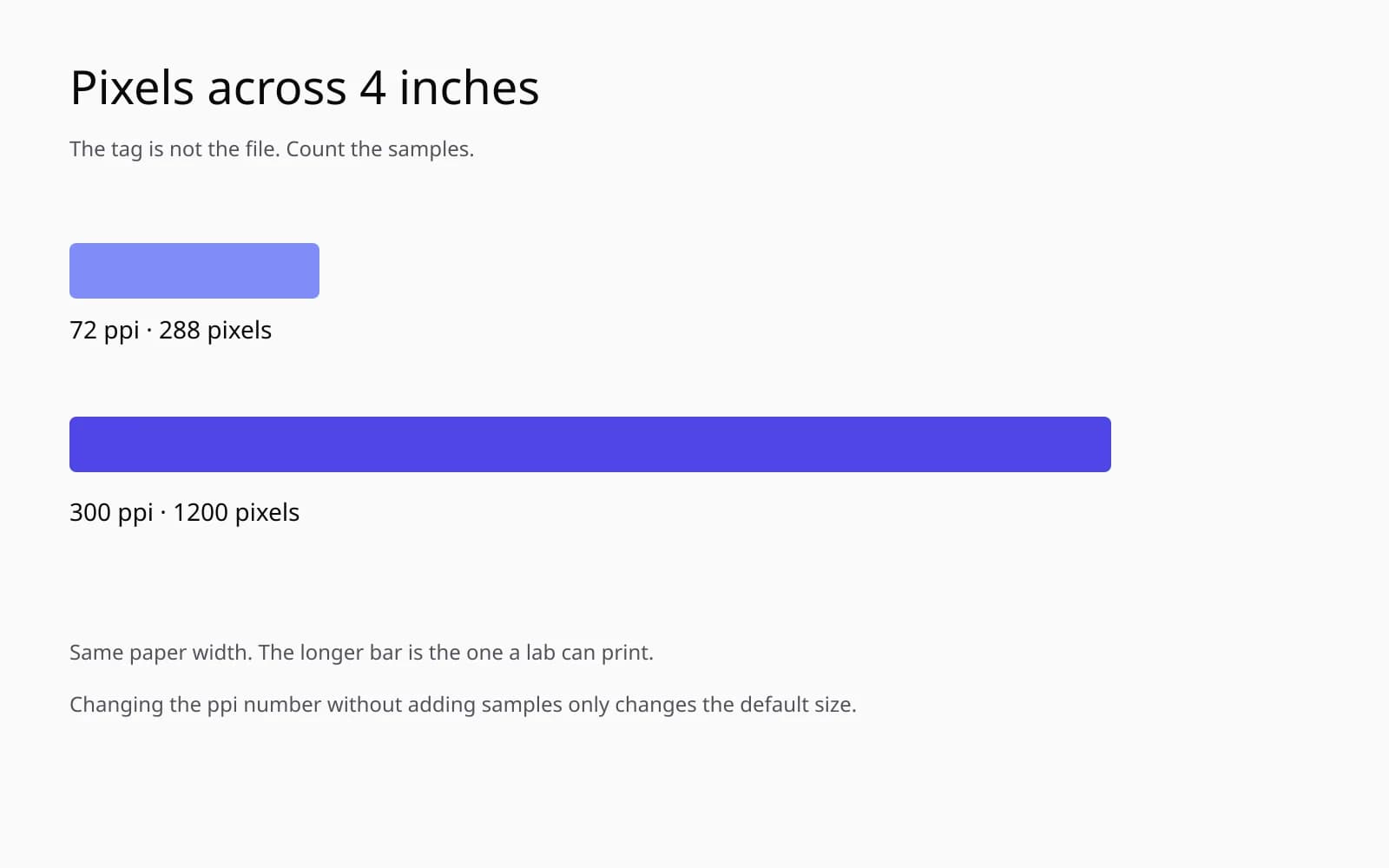
I keep that generated sample for the metadata case. The figure and the frame are already clean. Nothing in the sample needs inventing. It is the picture I show when a portal has rejected a file that was finished, so we talk about the label instead of running a repair on a drawing that was never broken.
A table so the tag stops floating free of the grid
Effective ppi means pixels divided by the ordered inches, and it ignores the tag. The tag column is what a lazy portal reads. Both can be true at once. They are not equally important.
| File | Pixels | Tag | Ordered size | Effective ppi | Portal | What I did |
|---|---|---|---|---|---|---|
| portrait-final.jpg | 576 by 720 | 72 | 8 by 10 | 72 | reject | Refused the enlarge, offered 4 by 5 |
| Same JPEG, tag only | 576 by 720 | 300 | 8 by 10 | 72 | reject, "too small" | Undid the stunt |
| Backup TIFF | 2400 by 3000 | 72 | 8 by 10 | 300 | reject on tag | Set tag to 300, no resample |
| TIFF after the label | 2400 by 3000 | 300 | 8 by 10 | 300 | accept | This is the print |
| Neural 4× of the JPEG | 2304 by 2880 | 300 | 8 by 10 | about 288 | would accept | Rejected by me, decorative ear |
| Later order | 1800 by 2400 | 240 | 8 by 10 | 225 to 240 | reject | Bicubic to 2400 by 3200 |
The neural row is not 2400 by 3000 because a 4× of 576 by 720 is 2304 by 2880. I would have had to resample again to hit the lab's exact grid. I did not bother, because the ear had already lost the argument. Extra resampling would have sanded the invention and also sanded what little of the JPEG was still true.
What I look at before I call it metadata
I do not trust the word "dpi" in an email. Printers have dots. Files have pixels. The lab's spec said dpi and meant pixels per inch at the ordered size. I translate, then I divide. The translation note belongs with how to change the resolution of an image, where the tag and the resample get separated on purpose. On this tool the separation is a billable mistake when I forget it.
The checks, in the order I now force on myself:
- Write down pixel width and pixel height from the file, not from the email and not from the tag.
- Write down the ordered inches, both sides, and which side is which. An 8 by 10 of a vertical portrait is 8 inches wide and 10 tall. I have divided by the swapped side and invented a crop.
- Divide. Effective ppi is pixels per ordered inch. Do both axes. If they disagree, the aspect does not match the order and someone will crop.
- Read the tag last. If the tag's implied inches and the ordered inches disagree, and the effective ppi is already enough, change the tag and stop.
- If the effective ppi is short, compute the scale factor before choosing a tool. Under 1.5, plain resample. Near 2, a comparison. At 4 and above, a smaller print or a better file.
- Overlay any neural result on a plain resample of the same size and look at ears, lettering, jewelry, and teeth.
- Do not upscale a file that already passes, just because an upscaler is open.
The swapped-side mistake is worth one more line. A horizontal snapshot, 720 by 576, ordered as an 8 by 10 vertical, is not a resolution problem until you decide the crop. I have "fixed" resolution by stretching, once, early, and the face went oval. The lab will sometimes stretch too, if the order says fill the frame. I send files that already match the aspect, with the crop I intend, so their fill has nothing to do.
The print that came back
The TIFF, relabeled, printed on their matte portrait paper. I checked eyelashes against my local proof with a loupe the lab lets you borrow at the counter. They matched. The JPEG's neural cousin, which I had printed myself on a smaller sheet just to see, did not match the TIFF in the ear or in a small scar at the jaw. The scar is a pale dash in the TIFF, about 40 pixels long. In the JPEG it is a lighter smear. In the neural 4× it is a clean little crescent, darker, more intentional. The sitter has the dash. I would rather print the dash from the TIFF than a crescent the model found plausible.
The client asked why the portal was allowed to be wrong. I do not have a satisfying answer. Portals check the fields they were given. A ppi tag is a field. Pixel count versus order size is a division someone has to write into the checker. This lab wrote the division into a PDF spec and wrote the tag into the checker. I keep the spec PDF in the job folder. The next rejection from them, I will divide before I resample, and I will only resample when the division fails.
Softness is not always a defect to attack
The JPEG at 4 by 5 and 144 ppi is a nice object. A little soft, a little small, clearly the same person as the TIFF if you do not demand the scar's exact contour. I delivered that print too, because the client liked the crop of the JPEG better. Someone had retouched a collar in the small file years ago, a tiny clone, and had never done it on the TIFF. The collar repair is real work, 20 pixels of cloning, and it does not survive a trip back to the TIFF except by hand. I left the collar on the small file and printed it small. Not every file that fails an 8 by 10 fails a photograph.
I sharpened the 4 by 5 lightly, radius under a pixel, and I stopped when the collar clone developed a pale edge. The clone edge is the tell that I have started outlining repairs and calling it clarity. The enhance photo quality comparison, original JPEG against a mild pass, was useful on the background noise and useless on the scar. I kept the mild background and the original scar. That is a boring sentence and it is the print.
Resolution, for a lab, is a gate. Fix the gate with arithmetic. If the gate was a tag, the picture was fine. If the gate was the pixel count, the picture needs a smaller gate or a different negative, not a braver slider. The 72 in the email was the start of the division. It was never, by itself, the diagnosis.
Questions that come up after the file is open
The lab says my photo is 72 dpi. Is the picture doomed?
Divide the pixel count by the print size in inches. If that number already meets the lab's minimum, the tag is wrong or unread and you should retag without resampling. If it does not, the file is short of pixels and a tag will not fill the page.
What is the difference between changing ppi and resampling?
Changing the ppi tag rewrites how big a program thinks the file wants to be. Resampling creates or destroys pixels. Only resampling changes the detail, and it cannot recover detail the camera never stored.
A portal rejected a large file tagged 72. What should I send?
If the pixels divided by the ordered inches already clear their spec, set the tag to that spec and send the same pixels. Do not upscale a file that was already big enough.
Should I upscale a 72 ppi file so the lab will take an 8 by 10?
Only when the pixel count is actually short, and only with your eyes on identity and edges. A 576 by 720 file needs more than a 4× jump to become a sharp 8 by 10 at 300 ppi, and the jump will look soft or invented.