Enhance a Product Photo Without Inventing the Label
A product photo is evidence of an object you are about to sell. A sharper lie is worse than a soft truth, because a buyer will compare the parcel to the picture.
- No signup for the first three
- Deleted after 24 hours
JPEG, PNG, WebP, or AVIF. No account for the first three repairs.
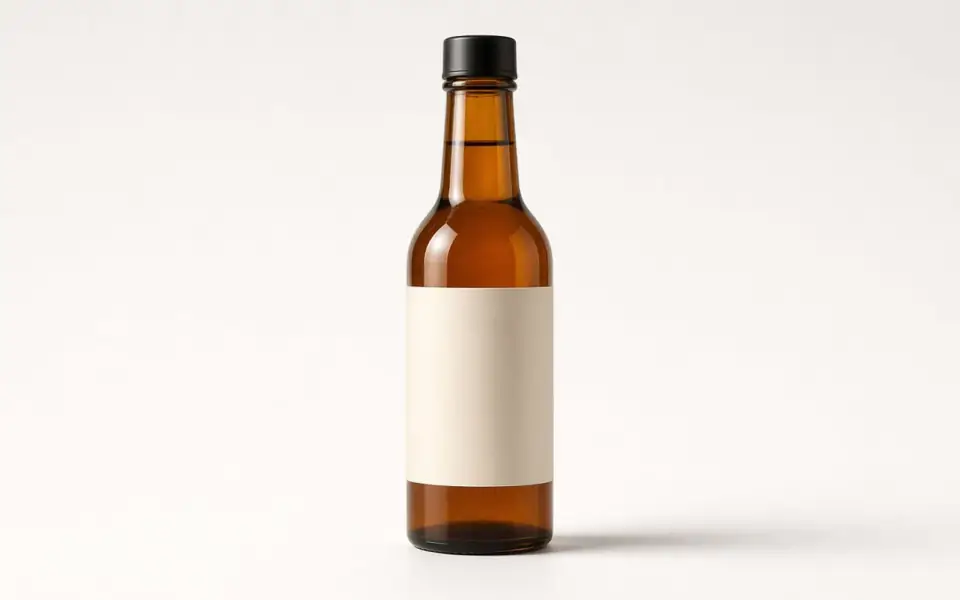
Left: a pale veil over the bottle. Right: the clear photo.
Product photo
The label is the part you are not allowed to guess
A bottle, a box, and a garment all carry type. Unblur and 2× can make a soft edge more convincing and can also change a digit, a size letter, or a care symbol. Crop to the label at 100 percent after the job and read it against the object in your hand. If a 0 became an 8, the job failed even though the glass looks cleaner. Retype is not something this tool does. Reshoot the label if the words are the product.
White backgrounds and clipped highlights are a studio choice. The model will sometimes paint a little texture into a blown-out sweep because it expects a world there. If the sweep was meant to be paper-white, that texture is a stain. Keep the original when the background starts to look like cloth. Denoise is for speckle in a shadow, not for a clean sweep that was already quiet.
Logos on the object are the same rule as the logo page. Do not run face restore on a mark. Do not upscale a tiny embroidered word and then treat the new letters as the embroidery. If the mark is the brand, shoot it again or place the vector. This page is for the photograph of the object, not for redrawing the identity.
Which mode matches a listing
A soft daylight shot of a still object wants unblur, one credit, on the free tool. A noisy phone shot in a warehouse wants denoise first. A file that is simply small for a zoomable listing wants 2×, and only after the label survived a look at the small size. 4× is Pro, two credits, and it is justified when the crop of a detail must fill a square, not when the whole bottle was already 2,000 px wide.
Batch belongs on Pro or Studio after one object has passed. Twelve is Pro. Forty is Studio. A catalog import that fails on the first three SKUs will fail in a way that spends the month. The API is the path for a script: the same modes, the same credits, a key from the account page, and a 10-minute rate window documented at /docs/api. Guest browsers do not get a key.
Commercial use is allowed on every plan, including Free plan, when you have the rights to the photograph. That is the usual case for a product you shot. It is not a license to enhance a manufacturer’s packshot you do not have rights to, and it is not a promise that the pixels are a warranty. The preview is unmarked. Free pages show ads.
Delivery size for a page, not a poster
Most listings never need more than the 3,200 px free download. A square zoom that starts from a 1,600 px crop becomes 3,200 at 2× and stops there on Free plan, which is already more than a product page displays. Pro and Studio keep a larger file if a detail crop must go further. Do not buy 8× to make a thumbnail into a billboard of a bottle. The glass highlights will invent structure.
JPEG is how marketplaces travel, and a second save at low quality puts blocks in the sweep. Bring the earliest export. PNG is the better container if you still have it. WebP and AVIF decode here too. HEIC from a phone does not. Export first. The result we write is a WebP prediction, not the raw capture.
Uploads and results are deleted after 24 hours. Download the file the listing will use and store it with the SKU. A failed job returns the credit. A successful shine you later decide is plastic does not return the credit or the subscription. Pro is $12 a month or $120 a year. Studio is $29 or $290. Packs are available if you would rather not subscribe. None of those fees are refunded.
A worked frame
A 1600 px packshot of a bottle has a soft label and a paper-white sweep. Unblur once, then read the volume and the lot code at 100 percent against the bottle in your hand. If a 0 became an 8, discard the WebP and reshoot the label. If the sweep grew a linen texture, the model invented a surface the studio did not light. Keep the original for the listing and do not denoise a sweep that was already clean. 2× makes 3200, which is exactly the free download’s long edge and more than a marketplace zoom usually shows. Stop there. Do not buy 4× to make the glass highlights more elaborate. Batch the rest of the SKUs only after this bottle’s label survived. The API can repeat the same unblur, and it will not read the label for you. Commercial use is allowed because you shot the object. It is not allowed for a manufacturer packshot you downloaded. We delete both files after 24 hours, so the listing library has to be yours.
Three steps on this file
01
Read the label at 100 percent
Before and after. A changed digit is a failed repair.
02
Match the defect
Soft light wants unblur. Warehouse noise wants denoise. A small crop wants 2× after the words survive.
03
Batch only the object that passed
Pro holds 12. Studio holds 40. The API uses the same limits.
Settings that matter here
- A white sweep that grows texture was not improved.
- Do not face-restore a mascot on the package.
- Reshoot a label you cannot read. Do not invent it.
- Keep the original next to the listing file. We will not.
Where this shows up
A marketplace square
2× on a decent phone photo is often the whole job, and the free download covers it.
A detail crop of stitching
Judge the thread. If the model doubled a seam, keep the soft crop.
Limits and formats
JPEG, PNG, WebP, and AVIF decode on the server. HEIC from a phone needs to be exported to JPEG first. The preview is not watermarked. Guest and Free plan downloads are capped at 3,200 px on the long edge. Pro and Studio download the full file. Nothing on this site is an ad.
Guest
- Price
- $0
- Credits
- 3 / day, no account
- Batch
- 1
- Upload
- 6 MB
- Long edge
- 2,000
- Download
- 3,200 px
Free
- Price
- $0
- Credits
- 3 repairs / day
- Batch
- 1
- Upload
- 8 MB
- Long edge
- 2,560
- Download
- 3,200 px
Pro
- Price
- $12/mo
- Credits
- 120 credits / month
- Batch
- 12
- Upload
- 20 MB
- Long edge
- 4,096
- Download
- Full size
Studio
- Price
- $29/mo
- Credits
- 500 credits / month
- Batch
- 40
- Upload
- 40 MB
- Long edge
- 8,192
- Download
- Full size
| Plan | Price | Credits | Batch | Upload | Long edge | Download |
|---|---|---|---|---|---|---|
| Guest | $0 | 3 / day, no account | 1 | 6 MB | 2,000 | 3,200 px |
| Free | $0 | 3 repairs / day | 1 | 8 MB | 2,560 | 3,200 px |
| Pro | $12/mo | 120 credits / month | 12 | 20 MB | 4,096 | Full size |
| Studio | $29/mo | 500 credits / month | 40 | 40 MB | 8,192 | Full size |
Questions worth asking first
Can I try this without an account?
Yes. Guests get 3 credits a day. 2×, denoise, and unblur cost one. Colorize costs two. 4× and face restore start on Pro. 8× is Studio.
Will the words on the product stay the same?
They might not. Read them after the job. A changed label is a file you should not publish.
Is the preview watermarked?
No. Guest and Free plan downloads are capped at 3,200 px on the long edge. Pro and Studio download the full file.
What if the job fails?
The credit is returned. A failed job is not charged. A finished file you dislike does not return the credit or the subscription fee.
How long do you keep the upload?
Uploads and results are deleted 24 hours after the job is created.
Can I use the result commercially?
Yes, on every plan, including the free tool, when you have the rights to process the file.
Related tools
From the guides
Run it on the file you actually have
Three guest repairs a day, no card. If the slider invents a detail you cannot defend, do not download it. Paid plans cancel anytime and are not refunded. A failed job is not charged. The file is deleted after 24 hours.